

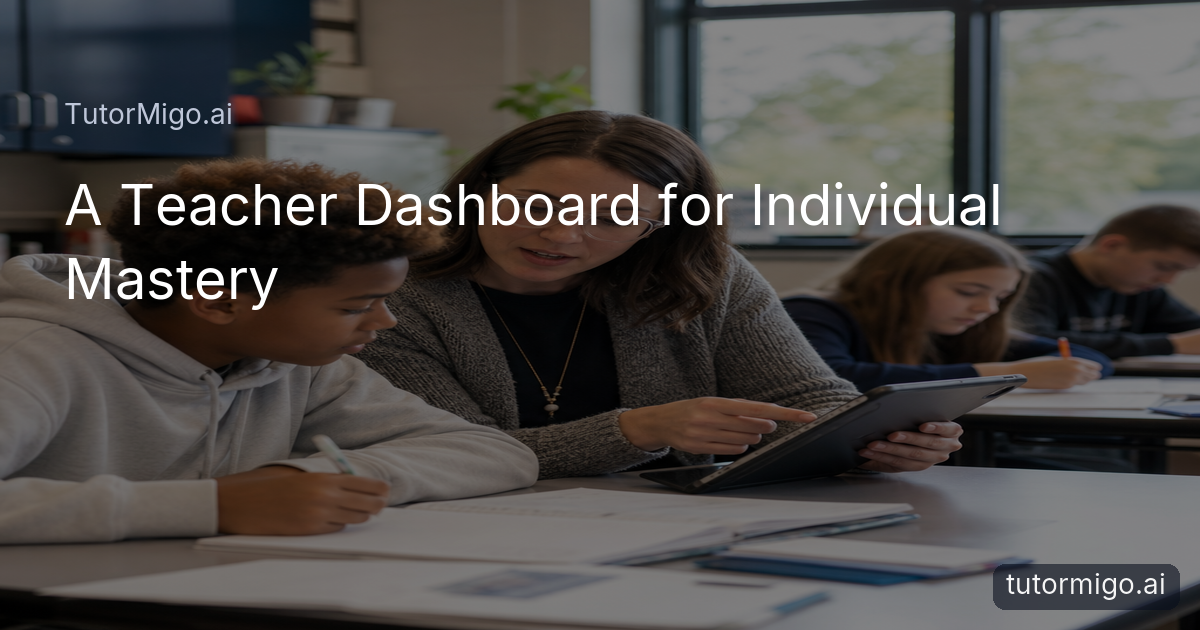
When One Lesson Has 30 Paces, Identify Where Each Student Is Stuck

When you teach one lesson to 30 students, a quiet pause can mean confusion, boredom, or simply a need for more time. You need a practical way to see the difference without stopping the whole class. One-on-1 AI mentorship can extend your instruction by giving each student a place to explain their thinking, ask follow-up questions, and revisit a difficult step.
Start with evidence you already collect: an incorrect answer, an unfinished assignment, a recurring misconception, or a student who avoids contributing. Instead of labeling the student as “behind,” turn the evidence into a focused question. For example, if a student solves incorrectly, ask them to describe what they did first. Their explanation may show that the gap is inverse operations rather than the entire algebra unit.
The Tutor Workspace gives the student a personalized AI Tutor conversation where they can work through that question at their own pace. You can then compare the student’s explanation with the work submitted in class. The goal is not to outsource diagnosis. It is to gather clearer evidence between lessons, so your next conference begins with a useful detail: “You understand the first step, but you are changing the sign incorrectly when you isolate .”
Set Up Targeted Class Support Around Individual Mastery Gaps

Once you identify a gap, create a small support plan that connects directly to the current class goal. In the TutorMigo Teacher Dashboard, organize your class and assign the relevant knowledge base material or learning support to the students who need it. Keep the target narrow: interpreting evidence in a paragraph, factoring a quadratic, or explaining a scientific claim with appropriate reasoning.
Suppose your class is writing historical arguments. Six students can state a claim but do not connect evidence to it. Rather than giving everyone another full essay, assign those students a focused task: explain what one source proves, identify a limitation, and revise one paragraph. Another student may need vocabulary review, while a confident writer may need a challenge that compares two competing interpretations. The same classroom objective can support different starting points.
Set a clear success check for each student. A student working on evidence might need to name the source, explain its relevance, and acknowledge uncertainty. A student working on algebra might need to solve three problems and explain one solution in words. Share the success check before the student begins in the AI Tutor workspace. That gives the tutoring conversation a destination and gives you a consistent basis for deciding whether the student is ready to rejoin the next level of class work.
Keep the support temporary and specific. Assign one gap, one practice target, and one check-in date. Targeted support is easier to monitor than a broad instruction to “review everything.”
Align Assignments and AI Tutoring With Your Classroom Goals
AI tutoring reinforces classroom instruction when it uses the same learning goal, vocabulary, and standard of reasoning that you use in class. Before assigning work, write the connection in student-friendly language: “Today we are practicing how to support a claim with two relevant details.” Then ask students to use the Tutor Workspace to rehearse that skill, not to produce a finished response for submission.
For example, after a lesson on proportional reasoning, assign a real-world scenario involving a recipe or map scale. The student can explain which quantities are related, choose a representation, and check whether the result makes sense. Your classroom assignment can then require the student to show the model and justify the answer independently. The AI Tutor conversation becomes guided practice; the submitted work remains evidence of the student’s own understanding.
You can also sequence support around a common assignment. First, students ask the AI Tutor to question their assumptions. Next, they attempt the problem or paragraph without assistance. Finally, they reflect on which hint helped and what they would try next time. This structure supports self-advocacy without lowering expectations. If students need a study routine for reviewing key terms, you can also connect the assignment to practical flashcard study strategies, while keeping the final classroom task tied to your stated objective.
Use the Tutor Workspace to Build Curiosity, Critical Thinking, and Self-Advocacy
The Tutor Workspace is most valuable when students learn to use it as a thinking partner rather than an answer machine. Give students prompts that require explanation: “What assumption am I making?” “What evidence would change my conclusion?” or “Can you ask me one question before giving a hint?” These prompts make the student’s reasoning visible and encourage them to notice what they do and do not understand.
Imagine a student studying a short story who says, “I know the character is upset, but I cannot explain why.” The AI Tutor can help the student examine a detail, consider another interpretation, and test a claim. The student then brings a stronger question to class: “Does the character’s silence show fear or resistance?” That is a useful extension of instruction because it increases curiosity without replacing the discussion you lead.
Build self-advocacy into the routine. Ask students to begin each session by naming the goal, describe the point where they became unsure, and finish by recording the next action they can take alone. Session history in the Tutor Workspace can help students revisit their own questions and notice patterns. You can reinforce this habit in conferences by asking, “What did you try, what helped, and what support do you need next?”
Monitor Sessions and Adjust Support in the Teacher Dashboard
Monitoring should help you decide what to do next, not create another pile of information to review. Use the TutorMigo Teacher Dashboard to check class activity, review student progress, and look for patterns across assigned support. Pay attention to the difference between completion and understanding. A student may finish a session while still relying on repeated hints; another may ask productive questions and solve the final example independently.
Use those patterns to adjust support. If several students are stuck on the same concept, plan a short whole-class clarification. If only two students confuse correlation with causation, keep the class moving and assign those students a focused follow-up. If a student is progressing confidently, reduce the scaffolding and ask for a transfer task in a new context. Your next classroom move should reflect the evidence, not simply the number of sessions completed.
Set a regular review point, such as every Friday afternoon. Check the assigned goal, the student’s work, and the session history together. Record a brief note for yourself: “Needs another example with feedback,” “Ready for independent application,” or “Can explain verbally but not yet in writing.” The dashboard supports the workflow; your professional judgment remains central. For ideas on making differentiation manageable within limited planning time, see this practical differentiation approach for teachers.
Report Progress and Choose Each Student’s Next Learning Step
Progress reports are stronger when they describe a change in understanding rather than a technology interaction. Use the Teacher Dashboard’s reporting tools to organize evidence around the classroom goal: the original misconception, the targeted support, the student’s current performance, and the next step. A useful report might say, “After targeted practice, Maya can identify relevant evidence and explain how it supports her claim; she now needs to address counterevidence in a full paragraph.”
Keep the next step observable and time-bound. For a math student, it could be solving a fresh set of linear equations and explaining one choice of operation. For a reader, it could be comparing two details and defending an interpretation in discussion. For a student who is becoming more independent, it could be choosing an appropriate strategy, asking for a specific hint only when needed, and reflecting on the result.
At the next check-in, compare the new work with the original evidence. If the student can transfer the skill to a different context, return them to the regular class pathway with an extension. If the same misconception remains, change the representation, model one example, or schedule a brief teacher conference. This cycle—identify, target, assign, monitor, report, and adjust—lets 1-on-1 AI mentorship extend your reach while your teaching sets the purpose, standards, and next decision.
What to do next: Choose one current assignment, identify one observable mastery gap, and create a short support task in the TutorMigo Teacher Dashboard. Review the student’s work after the first session, then decide whether to reteach, practice, or extend.
Frequently asked questions
No. It extends your instruction by giving students additional space to ask questions, explain their thinking, and practice at an individual pace. You still set the goals, review evidence, and choose the next learning step.
State the classroom goal, assign a focused practice task in the Tutor Workspace, and require students to complete the final classroom work independently. Use the AI conversation for rehearsal, questioning, and feedback rather than as a substitute for submitted work.
Review assigned support, student activity, progress, and session history alongside classroom work. Look for whether students can explain and transfer the skill, not only whether they completed a session.
Describe the original gap, the support provided, the evidence of change, and the next observable action. For example, note whether a student can now justify a claim or solve a new problem without the same level of prompting.
Related reading
Enjoyed this read?
Like, share, or comment below.



Comments
0Sign in required · respectful discussion · replies supported
Loading comments…