


notion vs trello: Set up the same launch project
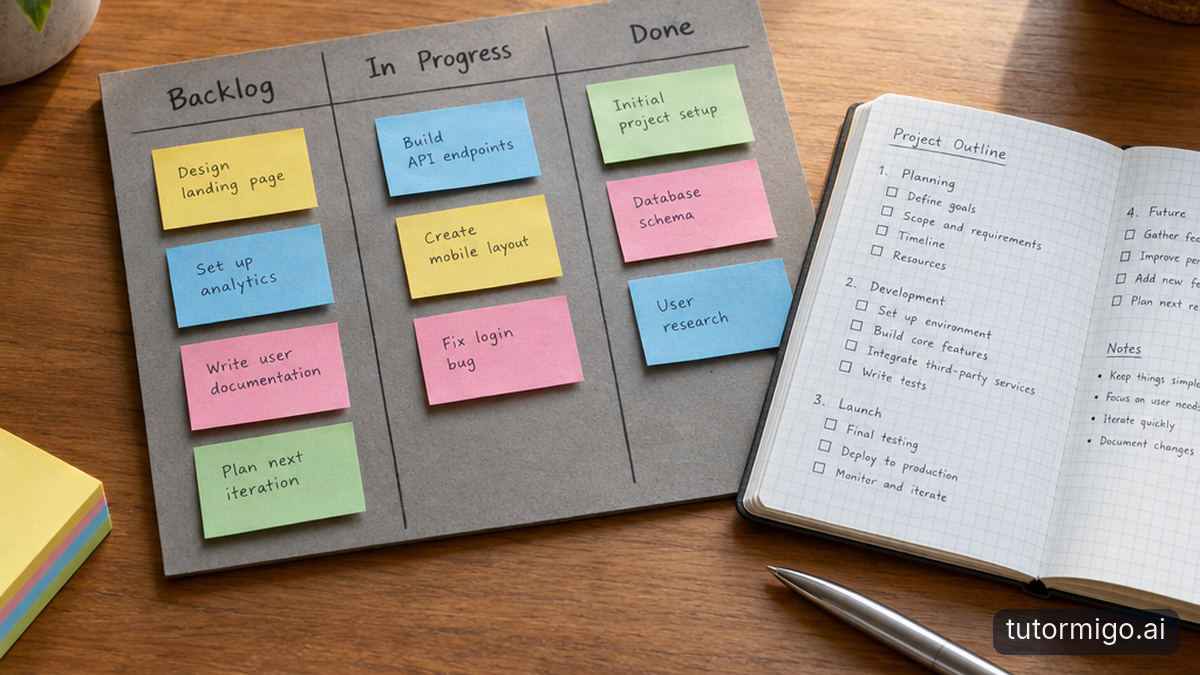
Imagine your four-person team launching a new service in three weeks. You need a landing page, customer emails, approved pricing, and a launch-day checklist. Every task needs an owner and deadline, while the project also needs a brief and somewhere to record decisions. Keep that scope identical when you compare Notion vs. Trello.
In Trello, create a board with Backlog, This Week, In Progress, Review, and Done lists. Add one card per deliverable, assign a member, and set a due date. Put the acceptance criteria inside each card. You can start moving work almost immediately, without first deciding how to structure a database.
In Notion, create a launch page containing the brief and a task database. Give tasks properties for status, owner, and due date, then create a board view grouped by status. Each task also opens as a page, giving you room for drafts, references, and decisions.
Templates shorten both routes, but they do not eliminate choices. Trello asks you to decide how work moves. Notion also asks how information should be organized. If nobody wants to maintain that structure, a sophisticated template can become extra housekeeping rather than a shortcut.
Task tracking: visible movement versus multiple perspectives

For the launch, a useful daily question is: what is blocked, and who needs to act? Trello makes that conversation natural. The landing-page card moves into Review, the email card stays In Progress, and a label can flag a pricing decision that is holding everything up. The board is the default shared picture of work.
That simplicity needs discipline. A column called Review does not identify the reviewer unless you establish a convention. A due date does not explain whether it means first draft or final approval. Write those rules down rather than assuming the tool supplies them.
Notion can show the same tasks as a board, table, or calendar. A filtered view can show only your assignments, while another highlights launch work due this week. These are different views of the same database, so you do not need duplicate task lists.
The trade-off is visibility. Filters can hide an unassigned task, and an overloaded database can bury basic status information among unnecessary properties. Test both with one late task, one blocked task, and one task awaiting approval. If someone must explain where those items went, simplify the structure before adding anything else.
| Need | Notion | Trello |
|---|---|---|
| Initial setup | Choose page structure, database properties, and views. | Create lists and cards for a visible workflow. |
| Task tracking | View database tasks as boards, tables, or calendars. | Move cards through lists; broader views depend on plan. |
| Project context | Keep detailed pages and tasks together. | Use card descriptions, attachments, comments, and linked documents. |
| Customization | Flexible databases and templates require upkeep. | Labels, automation, and Power-Ups extend the board. |
| Upgrade checks | Collaborative blocks, uploads, history, and access needs. | Boards, collaborators, attachments, automation, and paid views. |
Collaboration: keep conversations beside the work
During the launch, your designer asks which price belongs on the page, and your teammate needs approval for an email. Both tools support comments and mentions around work items. The practical difference is how much surrounding material you want to keep inside the same environment.
In Trello, the landing-page card can hold its checklist, attachments, feedback, and activity history. That works well when each deliverable has a clear boundary. Longer briefs and working documents may stay in another service, linked from the card. You gain a focused task hub but must manage access to those external files separately.
Notion can keep the launch brief, pricing rationale, meeting notes, and tasks together. You can comment on specific content rather than discussing every edit in one general thread. This helps when an approval depends on understanding earlier decisions, not merely ticking a checklist.
Neither arrangement fixes unclear responsibility. Choose one place for final decisions and name the person who approves each deliverable. Also test access with a real outside collaborator before launch week. A contractor who can open a task but cannot see its linked brief still cannot do the work, regardless of how tidy your workspace looks.
Customization: when flexibility earns its upkeep
Notion becomes more compelling when the launch is part of a repeatable operating system. Suppose your team runs several launches, maintains a service catalog, and tracks customer requests. Related databases can connect a launch to its tasks and supporting records, while templates give each new project a consistent starting point.
That structure can reduce repeated copying and scattered context. It also creates maintenance work. Someone must decide which properties matter, keep templates current, and prevent slightly different versions of the same status from multiplying. Flexibility pays off when it removes recurring coordination work, not simply when it makes a dashboard look impressive.
Trello can adapt through labels, templates, automation, and Power-Ups. For example, an automation rule can move a card after a checklist is completed. Custom Fields and more detailed checklist controls are paid-plan considerations, so distinguish a basic board from the upgraded workflow you actually want.
Use a modest test: identify one recurring inconvenience and configure its solution. If your team only needs a clear queue with owners and deadlines, additional structure may be unnecessary. If people repeatedly search across documents to understand each task, bringing richer context into Notion may justify the setup. In either case, nominate someone to keep the shared conventions consistent.
Pricing: check the limits that change your decision
Pricing transparency: the figures here are reference points, not live-verified quotes. Before buying, confirm current prices and limits on the official Notion pricing page and Trello pricing page. The paid rates below refer to US-dollar pricing with annual billing; monthly billing and applicable taxes can change your cost.
Notion's published Free-plan limits have included 5 MB per uploaded file, seven days of page history, and limited collaborative blocks for workspaces with multiple members. That last restriction matters: a generous personal workspace is not the same proposition as an unrestricted team workspace. Published Plus pricing has been $10 per member per month with annual billing, adding unlimited collaborative blocks, larger uploads, and longer history.
Trello's published Free-plan limits have included 10 boards and 10 collaborators per Workspace, 10 MB per attachment, and 250 Workspace automation command runs monthly. Standard has been $5 per user per month with annual billing, adding unlimited boards, Custom Fields, advanced checklists, larger attachments, and 1,000 monthly command runs. Broader views such as Timeline and Dashboard have been Premium features.
For your launch, check three upgrade triggers: file sizes, the number of people needing access, and the structure you require. Also inspect guest billing rules before inviting contractors. Linking external files or combining projects can postpone an upgrade, but those workarounds add coordination costs. Compare the cheapest plan that supports your actual workflow—not merely each product's advertised starting price.
Choose with a short, realistic trial
Trello is the more natural starting point if your team wants a visible queue, clear handoffs, and minimal configuration. Notion deserves the extra setup when briefs, decisions, reference material, and related projects are integral to completing tasks. Neither choice is permanent, but rebuilding an established workflow takes time, so test the awkward parts before committing.
Run the same small slice of the launch in each tool rather than comparing empty templates. Include the landing page, one email, a pricing approval, and a delayed task. Ask teammates to perform the same actions without coaching. Keep the trial short enough that maintaining two versions does not become its own project.
- Set up: create tasks, owners, deadlines, and one reusable template.
- Hand off: request approval and make the next action obvious.
- Find: locate the latest brief and explain a blocked task.
- Share: test a contractor's access to tasks and supporting files.
- Price: confirm current limits and the plan your tested setup requires.
Finish by asking each person what required explanation, what was hard to find, and what they would stop maintaining after a busy week. Choose the tool whose everyday friction your team can comfortably live with, not the one with the longest feature list.
Frequently asked questions
Usually, yes. Trello starts with boards, lists, and cards, so a simple task queue needs little configuration. Notion requires more structural decisions but can keep richer project context alongside tasks.
When tasks regularly depend on briefs, decisions, reference pages, or connected project records. Its flexibility is valuable if that structure reduces repeated searching and copying.
Potentially, but test the actual team setup. Notion's collaborative workspace restrictions and Trello's Workspace caps can matter before basic task tracking does. Confirm current official limits before committing.
Related reading
Related reading
Enjoyed this read?
Like, share, or comment below.



Comments
0Sign in required · respectful discussion · replies supported
Loading comments…