


When You Do Not Know What to Study Next

Exam stress often begins before the first question: you open your notes, remember five unfinished topics, and cannot decide which one deserves attention. Conventional studying can leave revision scattered across notebooks, videos, and one-off chatbot conversations. You may work hard without knowing whether today’s effort connects to yesterday’s learning.
TutorMigo.ai helps turn that uncertainty into a repeatable routine. Start in the AI Tutor Workspace by naming the exam, topic, deadline, and what feels difficult. The personalized tutor can use your session history to continue from earlier work instead of treating every conversation as a completely new lesson. For example, if you struggled with a biology explanation on Monday, Tuesday’s session can begin with a quick check of that idea before moving to application questions.
This continuity is one of the practical TutorMigo benefits: less time reconstructing your study plan and more time learning. You still make the decisions, but the workspace gives those decisions a reliable place to live. A student preparing for an AP unit test might end each session by recording two weak areas and one next action, then return to those priorities rather than randomly opening another chapter.
Tip: End every tutoring session by asking for a short “next study block” plan. Keep it specific: review one concept, complete one practice set, and revisit five difficult cards.
Use Session History to Build Continuity

Personalized tutoring is most useful when it forms a chain rather than a collection of isolated answers. Session history supports that chain by preserving the direction of your work in the Tutor Workspace. You can explain a goal once, work through an example, return with a follow-up question, and ask for a new explanation at a different level of detail. That makes the AI Tutor feel more like an ongoing study partner than a search box.
Imagine a student preparing for the SAT who keeps confusing evidence questions. In one session, the tutor identifies the pattern and models a solution. In the next, the student tries three similar questions and discusses why two answers were wrong. A later session can focus on timing and confidence. The learner’s questions become evidence for what to practice next, not just a trail of disconnected prompts.
Parents and teachers can encourage this habit without taking over the work. Ask the learner to begin each session with a one-sentence update: “I can identify the rule, but I still make mistakes under time pressure.” Lifelong learners can use the same approach for IELTS preparation or a personal learning goal. For more context on building a repeatable routine, see this guide to building an ongoing study workflow.
Continuity does not remove the need for independent thinking. It simply makes previous effort easier to use, so each study block starts with context instead of a blank page.
Match Each Tool to the Right Study Moment
Different study tools solve different problems. Use spaced-repetition flashcards when you need reliable recall of facts, definitions, vocabulary, formulas, or key terms. A learner reviewing IELTS vocabulary, for example, can create a deck from difficult words and review it on the suggested schedule rather than cramming the entire list the night before. The goal is to bring information back to mind at useful intervals, especially when it is starting to fade.
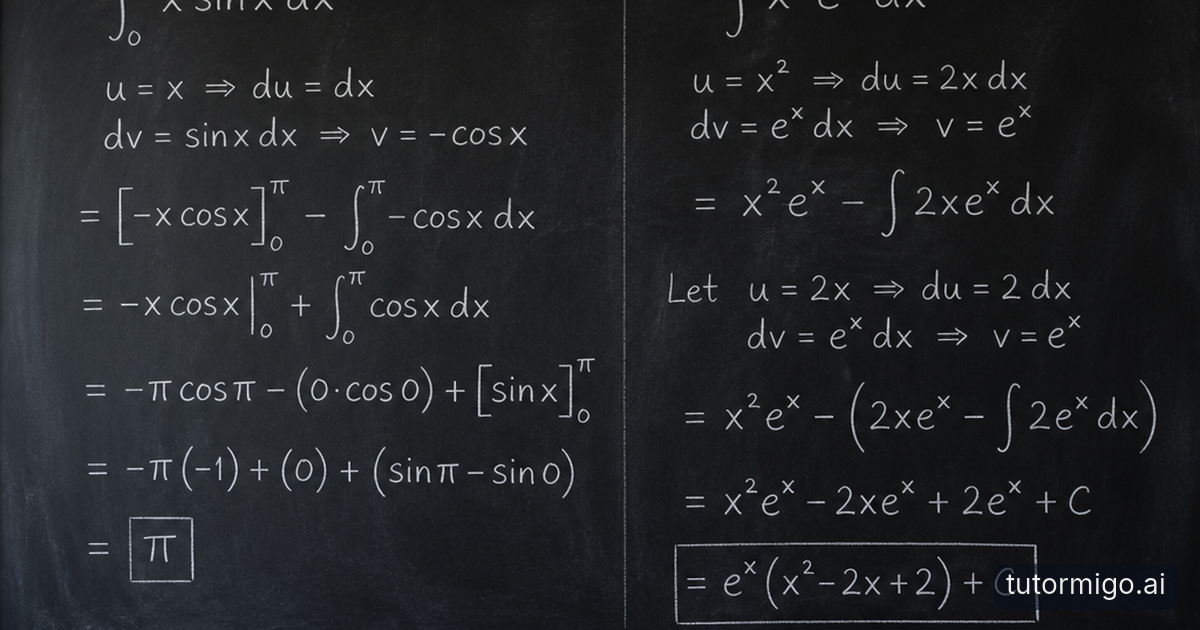
Use interactive study tools when the learning task requires doing, not just remembering. The Study Tools Hub includes a whiteboard, code sandbox, and math step editor. A student working through an algebra problem can show each step and inspect where the reasoning changed direction. Someone learning code can test a small solution, observe the result, and revise it. The whiteboard can help turn a complicated idea into a diagram or worked sequence.
Use the AI Tutor Workspace when you need explanation, feedback, or help choosing the next move. Then connect that explanation to flashcards or an interactive activity. This sequence is more effective than asking one broad question and moving on: understand the concept, practice it actively, retrieve it later, and return to the tutor when an error reveals a gap. These tools are complementary, so choose based on the task in front of you rather than trying to use every tool in every session.
Tip: Ask yourself, “Do I need to understand, do, or remember this?” Choose tutoring for understanding, interactive tools for doing, and flashcards for remembering.
Turn Exam Preparation into a Trackable Plan
Structured exam preparation is useful when a deadline makes priorities matter. TutorMigo.ai’s Exam Preparation area is designed for SAT, ACT, AP, and IELTS work, with practice sets and progress tracking. Instead of treating the exam as one enormous subject, divide your week into targeted blocks: a skill review, a timed practice set, an error review, and a scheduled retrieval session.
Consider an ACT learner who has two weeks before a test. On Monday, the student completes a math practice set and notes that multi-step questions take too long. On Wednesday, the student uses the math step editor to work through representative problems, then completes another focused set. On Saturday, the student reviews the tracked progress and chooses whether to repeat the topic or move to a weaker area. Each decision is tied to evidence from practice.
Progress tracking also helps prevent the false comfort of simply studying for a long time. A three-hour session spent rereading familiar notes may feel productive, while a shorter session that exposes and corrects a recurring error may create more useful progress. Set a small target for each block, such as completing a practice set and explaining every missed answer. Record what changed afterward.
For families and educators, the benefit is a clearer conversation. “How did studying go?” can become “Which skill improved, and what will you practice next?” That shift makes preparation more specific, manageable, and easier to sustain.
Make Accountability Supportive, Not Overwhelming
Accountability works best when it shows the learner’s direction without turning every study session into surveillance. The Parent Dashboard gives parents visibility into a child’s progress, learning controls, and co-learning features. A parent might check whether planned practice is happening, then ask the student to explain one result over dinner. The goal is to notice patterns and provide support, not to do the questions for them.
Teachers can use the Teacher Dashboard for class management, student monitoring, knowledge base assignment, and reporting. For example, a teacher preparing students for an AP assessment might assign a focused area, review class-level progress, and identify students who need a different explanation or an additional practice target. That information can guide a short small-group conversation while allowing students to keep working independently.
Students benefit when accountability is agreed in advance. Choose one weekly check-in, one measurable target, and one question to discuss if progress stalls. A parent may ask, “Which flashcards are still difficult?” A teacher may ask, “What type of practice question caused the error?” A lifelong learner can make the same commitment with a study partner or personal calendar.
The dashboards do not replace the learner’s judgment. They make progress easier to see, so encouragement and intervention arrive sooner. When a routine slips, the next step can be a smaller study block rather than an all-or-nothing restart.
Why a Dedicated Learning Workspace Helps
A general-purpose chatbot can be useful for a quick explanation, brainstorm, or example. A dedicated learning workspace is organized around the continuing job of learning: setting a study direction, returning to earlier work, practicing deliberately, and reviewing progress. The difference is practical rather than mysterious. You are less likely to lose the thread when tutoring, flashcards, interactive tools, and exam practice have clear roles in the same preparation plan.
Suppose a lifelong learner is preparing for IELTS. In a general chat, they might ask for vocabulary, request a writing correction, and later start a new conversation about speaking practice. In TutorMigo.ai, they can use the AI Tutor Workspace for ongoing guidance, Flashcards for scheduled vocabulary review, and Exam Preparation for structured practice and progress tracking. Each activity answers a different need while contributing to the same goal.
This is also useful for parents and teachers comparing AI learning tools. Rather than asking only whether a tool can generate an answer, ask whether it helps a learner know what to do next, revisit weak areas, practice actively, and explain progress to a supporter. The AI Tutor can provide responsive help, but the surrounding workspace gives that help a place in a routine.
Start small. Pick one exam objective, schedule three study blocks, and assign one tool to each block. After a week, review what was completed, what remained difficult, and which next action is most valuable. Smarter preparation grows from that feedback loop.
Frequently asked questions
The AI Tutor Workspace includes session history, so learners can return to earlier questions, explanations, and goals instead of rebuilding context every time. This supports follow-up practice and more focused next steps.
Use spaced-repetition flashcards for recall of facts, vocabulary, definitions, and key terms. Use the interactive whiteboard, code sandbox, or math step editor when you need to work through a process, test an idea, or inspect your reasoning.
Parents can use the Parent Dashboard to view progress and support learning routines. Teachers can use the Teacher Dashboard for student monitoring, assignments, class management, and reporting. Both can focus check-ins on evidence and next actions.
TutorMigo.ai combines personalized tutoring with session history, spaced-repetition flashcards, interactive study tools, structured exam preparation, and progress visibility. These features help connect individual study activities into a consistent preparation routine.
Related reading
Enjoyed this read?
Like, share, or comment below.


Comments
0Sign in required · respectful discussion · replies supported
Loading comments…