

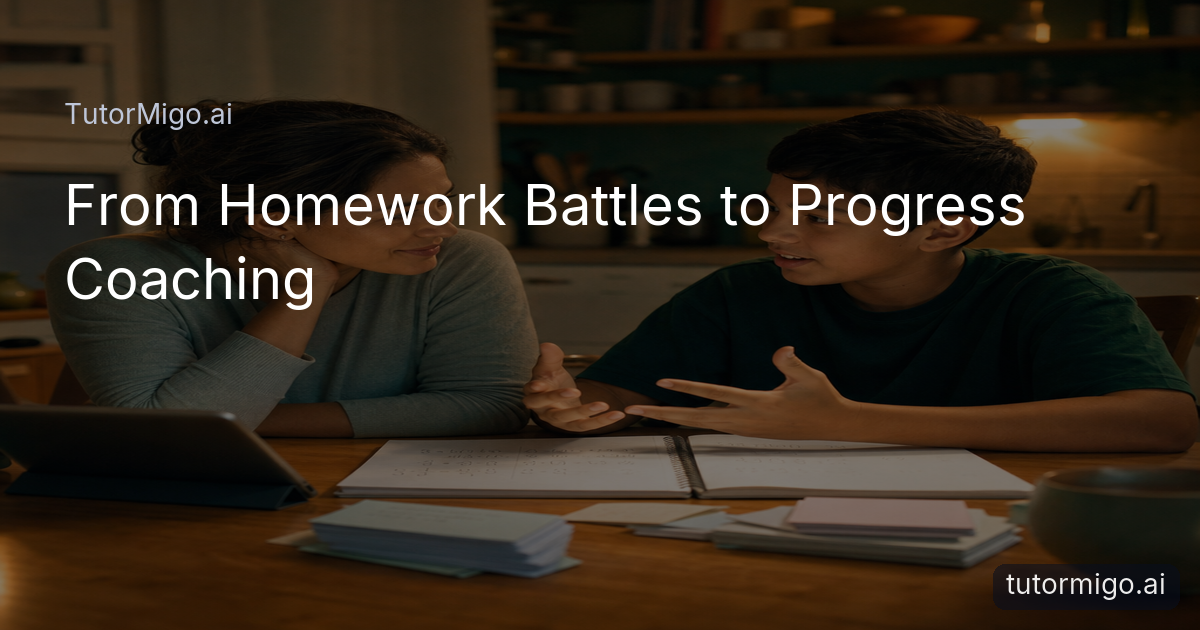
Homework Support That Eases Parent–Child Conflict: TutorMigo’s Progress Coach
 Addresses](https://tutormigo.ai/og/44a33540a50161c90ffbe0882355b486.png)
Homework battles often begin with a loving goal: you want your child to understand the work, not simply finish it. But by the third reminder, you are explaining directions, checking every answer, and policing phone time while your child waits for rescue. The result is stress for both of you, even when the assignment gets done.
A more useful role is progress coach. You can help your child start, notice patterns, and celebrate effort without becoming the person who supplies every explanation. A personalized AI Tutor can guide practice through questions, examples, and step-by-step support, while the Parent Dashboard gives you a practical view of progress and learning controls. That division matters: guided practice happens in the student’s workspace, and your conversations can focus on choices and confidence.
For example, instead of asking, “Did you finish your math?” try, “Which part felt easiest, and what is your next practice step?” You might check a progress report together for a topic that needs another attempt, then agree on a short session. This approach does not remove your involvement. It changes your involvement from answer-checker to steady coach who helps your child learn how to learn.
How a Personalized [AI Tutor](https://tutormigo.ai) Guides Practice and Preserves Session Continuity
 Guides Practice and Preserves Session Continuity](https://tutormigo.ai/og/16580202418d2271f35fb9d14ffbf908.png)
Guided practice works best when the student can try an idea, receive help, and try again without handing the problem to a parent. In the Tutor Workspace, your child can ask about a difficult concept, work through an example, and return to the same learning conversation through session history. That continuity makes the next study period easier to begin: the student can review where they stopped instead of starting from a blank chat.
Imagine a child struggling with a science explanation. Rather than asking you to rewrite it, they can use the AI Tutor to clarify a term, compare an example, and attempt their own explanation. The parent can then ask to see what the child is practicing and discuss the next step without taking over the writing. Session history supports a consistent thread, while the student still does the actual thinking and response.
Set a simple boundary before practice begins: “Use the tutor for hints and examples, but submit work in your own words.” You can also agree on a stopping point, such as explaining one concept aloud or completing two similar problems independently. If the child returns later, the saved session provides useful context for continuing practice rather than repeating the entire conversation.
What to Monitor in the Parent Dashboard: Progress Reports, Learning Controls, and Study Habits
The Parent Dashboard is most useful when you monitor patterns instead of supervising every minute. Progress reports can help you notice which areas receive repeated practice, where a child may be building momentum, and whether a study plan is being followed. Look for a conversation starter, not a verdict: “I see fractions came up twice this week. Which part still feels uncertain?”
Learning controls let you shape the conditions around study without standing over the session. Depending on your family routine, you might agree on when practice happens, what goal the session has, and when you will review progress together. Co-learning features can turn a report into a shared check-in: your child explains what they learned, you ask one or two questions, and the child chooses the next task.
Keep the review brief and predictable. On Sunday, spend five minutes looking at progress; on school nights, ask for one takeaway rather than a complete account. If a child is practicing but not improving, adjust the next session’s focus instead of adding pressure. If progress is steady, resist adding extra work automatically. The point of visibility is to make support more timely and targeted, not to create another form of homework policing. For more ideas, see this guide to tracking a child’s learning progress with AI.
Using Flashcards and Interactive Study Tools to Reinforce Learning Without Taking Over
Short, focused practice can reinforce a lesson without turning the evening into another lecture. Spaced-repetition flashcards help a student revisit information on a review schedule, rather than rereading everything the night before a quiz. Your child might create or refine a deck for vocabulary, scientific terms, or key definitions, then review a small set and mark which cards need more attention.
Interactive study tools add another route when text alone is not enough. In the Study Tools Hub, a student can use the whiteboard to sketch a process, the math step editor to examine working, or the code sandbox to test a small piece of code. These tools support doing, not just asking. For example, instead of watching you solve an equation, your child can enter a step, inspect the result, and correct the next step independently.
Your role is to set a useful limit and invite reflection. Say, “Choose ten cards or one worked example, then tell me what changed in your understanding.” Avoid turning every missed card into a correction session. Ask the child to sort uncertainty into “need a hint” or “need more practice,” then let the tool support that choice. This keeps reinforcement active while preserving ownership of the learning process. The emphasis on practice and examples also aligns with why active practice builds understanding.
How a Dedicated Tutor Workspace Differs Practically from a General-Purpose Chatbot
A general-purpose chatbot can be useful for a quick question, but a dedicated tutor workspace organizes learning around an ongoing study relationship. In TutorMigo’s Tutor Workspace, the student has personalized tutoring chat, session history, streaming responses, and expert personas designed for study conversations. The practical difference is not that a general chatbot is incapable of answering questions; it is that the dedicated workspace gives the family a clearer place to return to for guided practice.
Consider a history assignment. In a general chat, your child may ask for an explanation, receive a response, and move on. In a tutor workspace, they can return to the session, ask for a simpler example, explain the idea back, and continue with a related practice question. That sequence is easier to make into a habit because the work lives in a consistent learning space rather than being mixed with unrelated requests.
The distinction also helps parents set expectations. You are not choosing between “technology” and “your support.” You are choosing where guided study happens and how you will review it. Use the workspace for questions and practice, the Parent Dashboard for visibility and controls, and your conversation for encouragement and judgment. These are practical TutorMigo benefits when the goal is independence, not simply faster answers.
The [TutorMigo benefits](https://tutormigo.ai) to Use Tonight: Celebrate Milestones, Set the Next Step, and Build Independence
Start with a small agreement tonight: your child chooses one assignment goal, completes a short guided practice session, and explains one thing they can now do without help. You check the Parent Dashboard afterward, not every few minutes. If the student uses flashcards or an interactive tool, ask what the activity revealed rather than whether every item was correct.
- Name the goal: “By the end of 20 minutes, explain the main idea and complete one example independently.”
- Let practice happen: Encourage hints, session history, flashcards, or a suitable interactive tool before stepping in.
- Review one signal: Look at the progress report or learning activity and identify one strength and one next step.
- Celebrate specifically: Say, “You returned to the hard question and changed your strategy,” rather than giving only a general “good job.”
Milestones can be modest: starting without repeated reminders, asking a clearer question, correcting a mistake, or explaining a concept in the child’s own words. End by asking, “What will you try first tomorrow?” Then let the answer guide the next session. After this routine, your child should be able to begin a study task with less prompting, use guided practice without waiting for you to solve it, describe what they understand, identify what needs review, and choose a reasonable next step. That is the shift from homework enforcement to durable independence.
Pros and cons
Pros
- Guided practice gives children room to try before asking a parent to step in.
- Session history supports continuity between study periods.
- Parent progress reports and learning controls make support more targeted.
- Flashcards and interactive tools encourage active reinforcement.
Cons and limitations
- Parents still need to set expectations and discuss responsible use.
- Progress reports are signals for conversation, not a substitute for understanding the child’s work.
- A dedicated workspace supports practice, but children still need to do the thinking and explain their learning.
Frequently asked questions
The Tutor Workspace includes session history, so a student can return to an earlier learning conversation, review where they stopped, and continue guided practice instead of starting from scratch.
Focus on progress reports, recurring practice areas, learning controls, and study habits. Use these signals to choose a short conversation or next step rather than monitoring every response.
Yes. Flashcards support scheduled review, while the whiteboard, math step editor, and code sandbox give students ways to practice actively. Agree on a goal and ask for a brief reflection afterward.
It provides a consistent study location with personalized tutoring chat, session history, streaming responses, and expert personas. This makes it easier to build a repeatable practice routine and review progress.
Related reading
Enjoyed this read?
Like, share, or comment below.



Comments
0Sign in required · respectful discussion · replies supported
Loading comments…