

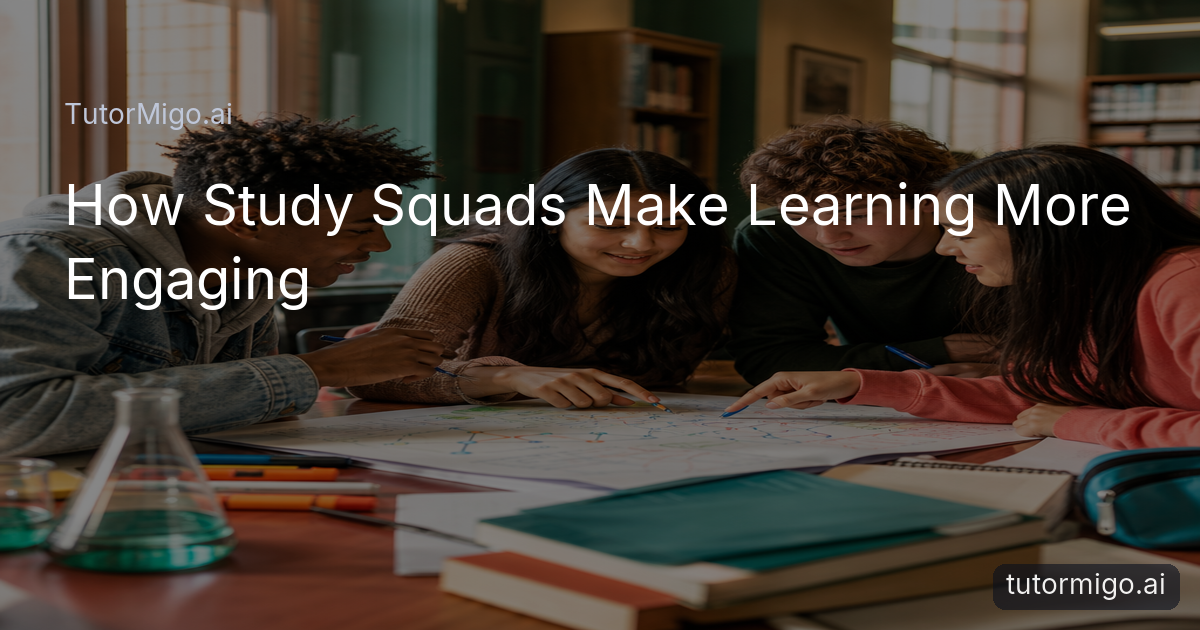
How Study Squads Change the Experience

Studying alone can make even a familiar topic feel flat. You read the same paragraph twice, hesitate over a question, and lose momentum without anyone to explain your thinking to. A Study Squad gives you a reason to speak, listen, and stay involved. Instead of simply checking whether an answer is right, you can explain how you reached it and hear another approach.
Imagine three students preparing for a history assessment. One summarizes the causes of an event, another asks whether the evidence supports that explanation, and a third connects it to a later topic. Each person is doing more than memorizing. They are practising communication, checking understanding, and noticing gaps in their knowledge.
This is one of the practical TutorMigo benefits: learning can feel more social without losing structure. Your AI Tutor can support an individual question when your squad gets stuck, while the group discussion keeps everyone participating. The goal is not to let the most confident student do all the talking. It is to create a space where each learner explains, questions, and contributes something useful.
Set up a Study Squad with a clear purpose

Collaborative learning works best when a squad knows what it is trying to accomplish. Before you begin, choose one focused goal, such as reviewing cell structure, practising a set of algebra problems, or preparing explanations for a literature discussion. A narrow goal makes it easier for everyone to arrive prepared and makes progress visible by the end of the session.
Give each person a simple role that can rotate from meeting to meeting. One student can introduce the topic, another can bring questions, and another can summarize the group’s conclusions. For example, during a biology session, the question leader might ask, “What would happen if this process stopped?” The explainer responds, while the checker looks for missing steps or unsupported assumptions.
Keep the first session short enough to maintain energy. A 30-minute plan might include five minutes of preparation, 15 minutes of discussion, and 10 minutes of review. Agree on respectful habits too: allow people time to think, challenge ideas rather than individuals, and invite quieter members to contribute. These small rules turn a group chat into a learning routine rather than a stream of disconnected messages.
Tip: End every squad meeting with one shared question that still needs an answer. It gives the next session a clear starting point.
Turn discussion into active learning
A Study Squad becomes engaging when students have to do something with the material. Instead of asking everyone to read silently and report whether they understand, use prompts that require explanation, comparison, or application. Ask one member to teach a concept in plain language, then ask another to create a real-world example. If the explanation is unclear, the group can improve it together.
For a math topic, students might compare two solution methods and discuss which is easier to check. For a language-learning session, one person can use a new word in a sentence while others suggest a correction or a stronger context. For exam preparation, the group can take turns explaining why an answer is supported, rather than only naming the correct option.
Interactive study tools can give these conversations something concrete to work on. TutorMigo’s interactive study tools include a whiteboard, code sandbox, and math step editor, so students can show a process instead of describing it vaguely. A visible step-by-step attempt also makes it easier for peers to ask useful questions: “Why did you choose that step?” or “Where does this result come from?”
That kind of questioning builds active participation and helps students remember ideas because they have explained and examined them.
Share knowledge and support different strengths
Every student brings a different strength to a Study Squad. Someone may remember key terms quickly, another may spot patterns, and another may be good at turning a complicated idea into a clear example. When students share those strengths, the group becomes more useful than a collection of separate study sessions. Teaching a concept also reveals whether the teacher truly understands it, which makes peer explanation valuable for both people.
Try a “teach, test, improve” cycle. One student gives a two-minute explanation. A second student asks two questions, including one that tests application rather than recall. The original speaker then revises the explanation based on the questions. The group can save the improved version as a short summary for later review.
Spaced practice can extend that shared learning after the meeting. With TutorMigo flashcards, students can build or review decks covering the terms and questions that caused the most discussion. One useful approach is to turn a group misunderstanding into a card: the front asks for the concept or decision, and the back explains the reasoning in clear steps.
This creates knowledge sharing without making one student responsible for everyone else. Each learner still reviews independently, but the questions are shaped by a real conversation and supported by the squad’s combined thinking.
Keep motivation high between sessions
Motivation often drops when studying feels like an endless list of tasks. A Study Squad adds friendly accountability because someone else is expecting you to bring a question, explanation, or completed practice set. That expectation does not need to become competitive. The group can focus on consistency by celebrating useful contributions, such as finding a mistake, asking a precise question, or helping someone reframe a difficult idea.
Use a simple closing routine to maintain momentum. Each student shares one thing they understand better, one point they will review, and one small action before the next meeting. For example, a student might agree to review eight flashcards, explain a difficult process aloud, or complete one practice set. At the next meeting, begin by checking in briefly rather than assuming everyone made equal progress.
Personalized support can help when the group’s needs differ. If one student needs an explanation of a foundational idea while the others are ready for a challenge, an AI Tutor can provide individual help without taking the whole squad off track. Session continuity also helps a learner return to a question and build on earlier work instead of starting from scratch.
The result is a healthier rhythm: group discussion for energy and perspective, individual practice for confidence, and a clear next step to keep learning moving.
Give students, parents, and teachers a clearer view
Collaboration is easier to support when progress is visible. Students can keep a short record of the topics discussed, questions that remain open, and tasks for the next meeting. This helps the squad notice patterns: perhaps everyone can define a term but struggles to apply it, or one topic repeatedly takes longer than expected. Those observations make the next session more focused.
Parents can use learning visibility to ask better questions than “Did you study?” A more useful conversation might be, “What did your squad work out today?” or “Which question are you carrying into the next session?” TutorMigo’s Parent Dashboard provides visibility into child progress, learning controls, and co-learning features, giving families a way to support routines without taking over the discussion.
Teachers can also use group work as a signal for follow-up instruction. If several students struggle with the same concept, that pattern can guide a review activity. TutorMigo’s Teacher Dashboard supports class management, student monitoring, knowledge base assignment, and reporting, helping educators connect collaborative study with broader progress tracking.
These views do not replace the students’ conversation. They make it easier for adults to encourage productive habits, recognize steady effort, and offer targeted support when a squad needs another explanation or a more manageable goal.
Try next: Ask each squad to submit one shared question and one example of peer support after every meeting. You will see both what they are learning and how they are learning together.
Make your next study session collaborative
Start with a topic your group already needs to review and invite two or three classmates, friends, or family members who can commit to the same time. Give everyone a small preparation task: bring one question, one example, or one part of the topic they can explain. This prevents the first few minutes from disappearing while the group decides what to do.
During the session, rotate who speaks first and use a shared activity to keep the conversation practical. Work through a problem on the whiteboard, compare two explanations, quiz one another with flashcards, or ask the AI Tutor for a clarification when the group reaches a sticking point. Make sure the tool supports the discussion rather than replacing it; students should still explain, challenge, and refine ideas together.
Finish by recording the group’s strongest takeaway and each person’s next action. After a few meetings, review what is changing: Are more students contributing? Are questions becoming more specific? Are learners returning with better examples? Those are signs that studying has become interactive rather than merely social.
Study Squads are most effective when they combine structure with encouragement. With a clear goal, shared responsibility, and the right TutorMigo tools around the conversation, studying can become a place where students communicate more confidently, learn from one another, and stay motivated to continue.
Frequently asked questions
A Study Squad is a collaborative learning group where students discuss topics, share explanations, ask questions, and support one another during study sessions. The group can combine conversation with TutorMigo study tools and individual AI Tutor support.
Use rotating roles such as question leader, explainer, checker, and summarizer. Invite quieter members to respond first sometimes, and make every session end with a contribution from each student.
Yes. Students can discuss difficult ideas together, then use flashcards, interactive study tools, or an AI Tutor for individual practice and follow-up. This combines peer learning with personalized review.
Parents can ask about the group’s questions and next steps, while teachers can look for recurring misunderstandings and patterns in progress. TutorMigo dashboards provide visibility that can help adults offer targeted support without taking over the session.
Enjoyed this read?
Like, share, or comment below.



Comments
0Sign in required · respectful discussion · replies supported
Loading comments…