

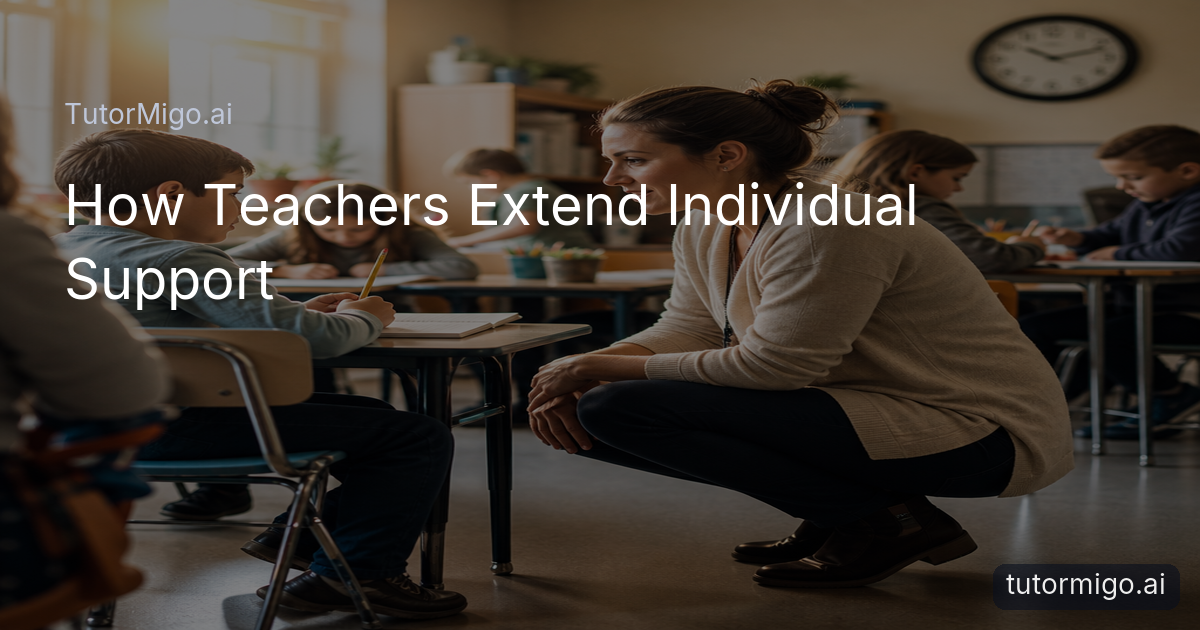
When Every Student Needs Teacher Support at Once

You want to notice every raised hand, clarify every confusing step, and encourage every student who is quietly falling behind. But a school day can place all of those needs in the same ten-minute window. You are teaching new material, managing transitions, checking understanding, answering questions, contacting families, and preparing what comes next. Individual attention matters, yet the timetable rarely expands to make room for it.
A student may understand the first example but freeze when asked to try independently. Another may avoid asking for help because classmates seem to be moving faster. A third may need a second explanation in simpler language, not because the lesson failed, but because learning often requires repetition and a chance to ask questions without pressure.
This is why Tutormigo support beyond the live lesson can be valuable. It should not remove the teacher from the learning process or turn instruction into a set of automated answers. Instead, it can give students another place to practise, review, and prepare questions while your limited face-to-face time stays focused on the decisions only you can make: noticing misconceptions, adjusting instruction, and building confidence.
Why Class Time Cannot Cover Every Need

Even well-planned lessons have competing demands. You may spend the first minutes settling the room, use the middle of class to model a skill, and reserve the final minutes for independent work and an exit check. In theory, that sequence creates opportunities to help individuals. In practice, several students may need you simultaneously, while others need quiet time before they can explain what is confusing.
Extra help is not always about a major gap. A student preparing for an assessment might need ten more practice questions. Someone learning a new concept may need to see the same process worked through with a different example. A capable student may want a challenge but hesitate to interrupt a lesson designed for the whole group. These needs are easy to miss when attendance, safeguarding, marking, meetings, and family communication also compete for your attention.
A useful response is to separate support into layers. Keep direct teaching, feedback, and relationship-building with you. Then provide structured ways for students to review the lesson, practise a skill, or record a question outside the busiest part of the day. When a student returns with a specific question rather than “I do not get it,” your next conversation can be shorter and more productive.
Extra practice should create a better starting point for teacher feedback, not become a substitute for teacher feedback.
Build Support Around Practice and Continuity
One realistic strategy is to give students a repeatable study routine rather than a vague instruction to “revise.” After a lesson on key vocabulary, for example, students can use spaced-repetition flashcards to review a small deck over several days. The aim is not to make them sit through another lecture. It is to help them retrieve important ideas, notice what they have forgotten, and arrive in class ready to ask about the difficult items.
Interactive tools can help with subjects where a final answer hides the thinking. A student working through a maths problem may benefit from a step editor that makes each stage visible. A learner practising code can use a code sandbox to test an idea and inspect what happens. A whiteboard can offer a place to sketch a process before bringing the work to you. These activities do not prove that learning has happened, but they create useful evidence for a follow-up conversation.
Session continuity matters too. In a Tutormigo , a student can return to a personalised tutoring conversation and continue from the context recorded in session history. That can make after-class support feel less like starting over. The AI Tutor can offer another explanation or guided practice, while you remain responsible for the learning goals, boundaries, and final instructional judgment.
Use AI Tutoring Without Losing the Teacher
An AI learning tool works best when you define its role clearly. Ask students to use it for a first explanation, a worked example, vocabulary review, or practice before they bring a question to you. Ask them to save the point where they became unsure. For instance, a student might write, “I understand how to isolate the variable, but I do not know why this step is allowed.” That is far more useful than submitting an unexplained answer.
TutorMigo can support this approach through its personalised AI Tutor workspace, study tools, and spaced-repetition flashcards. The practical difference from opening a general-purpose generative chatbot is the learning workflow: the student has a tutoring space with session history, dedicated tools for practice, and a clearer path from explanation to review. That does not mean a general-purpose tool has no value, or that an AI Tutor is always correct. Students still need to check work, follow classroom expectations, and ask you when an explanation conflicts with the lesson.
Set simple guardrails. Tell students whether they may use AI during homework, require them to show their own attempt, and make “explain this in a different way” preferable to “give me the answer.” Review patterns rather than every exchange. If several students use the same explanation but make the same error, reteach that point to the class.
Connect Practice to Progress You Can See
Support becomes easier to manage when you can see what students are doing next. A teacher dashboard can help you monitor students, assign knowledge-base material, manage classes, and use reporting to identify where follow-up may be needed. You do not have to respond to every activity in real time. Instead, look for patterns: a student repeatedly returning to one topic, incomplete practice, or a group struggling with the same skill.
For assessment periods, structured exam preparation can add a defined route through practice sets and progress tracking. A student preparing for the SAT, ACT, AP, or IELTS might work through assigned practice between lessons, then bring missed question types to a small-group session. This is more actionable than telling the whole class to “do more revision,” because you can connect the next lesson to a visible area of need.
Keep the system light. Choose one or two indicators that answer a real teaching question, such as “Who needs a short conference tomorrow?” or “Which concept should I model again?” Data should help you prioritise human attention, not create another grading burden. If a dashboard takes longer to interpret than the intervention itself, simplify the routine and use only the information that changes what you do next.
For ideas about keeping students accountable for their own work, see this teacher guide to when answers are not the same as learning.
Make Shared Support Clear to Families
Students often study outside school with a parent or caregiver nearby, but adults may not know whether a child needs encouragement, a quiet routine, or direct help with a concept. Clear communication can prevent an AI tool from becoming a mysterious extra assignment. Explain what students should practise, how long the session should last, and when they should stop and bring a question back to class.
Parent visibility can support that routine without asking families to become subject experts. TutorMigo’s parent dashboard provides visibility into child progress, learning controls, and co-learning features. A parent might notice that a student is consistently reviewing vocabulary but avoiding a particular topic. That observation can lead to a calm question—“What part feels hardest?”—rather than pressure to complete more work.
Teachers can also invite students to reflect after a session: What did you understand before? What changed? What still needs explanation? Those answers help connect independent practice to classroom instruction. If a student uses flashcards or an interactive tool, the goal is not simply a longer study log. The goal is a clearer next step for the student, the family, and you.
When support at home needs a simple structure, this guide to learning at home with a parent dashboard offers a useful starting point.
Pros and cons
Pros
- Provides students with another place to practise and ask for explanations outside the busiest part of class
- Supports spaced-repetition review and interactive study activities
- Can help teachers identify patterns that deserve follow-up
- Keeps teacher instruction and judgment at the centre of the learning process
Cons and limitations
- Requires clear classroom expectations and supervision
- AI explanations may still need checking and correction
- Dashboard information only helps when it leads to a practical teaching decision
- It cannot replace teacher relationships, context, or professional judgment
Frequently asked questions
No. An AI Tutor can provide practice, another explanation, or a place to continue a study session, but it cannot replace your knowledge of the student, classroom context, professional judgment, or relationship-building. Use it to extend support and make face-to-face conversations more focused.
Start with one narrow routine, such as a short flashcard review after a vocabulary lesson or practice before a support session. Give students a clear purpose, ask them to record questions, and use dashboard information only when it helps you choose who or what to address next.
They should stop, compare the explanation with class materials, show their own attempt, and ask the teacher. Students should not treat an AI response as final simply because it sounds confident.
TutorMigo’s parent dashboard includes visibility into child progress, learning controls, and co-learning features. Teachers and families should still agree on an appropriate routine and use progress information as a prompt for conversation, not as a measure of a child’s overall ability.
Related reading
Enjoyed this read?
Like, share, or comment below.



Comments
0Sign in required · respectful discussion · replies supported
Loading comments…