

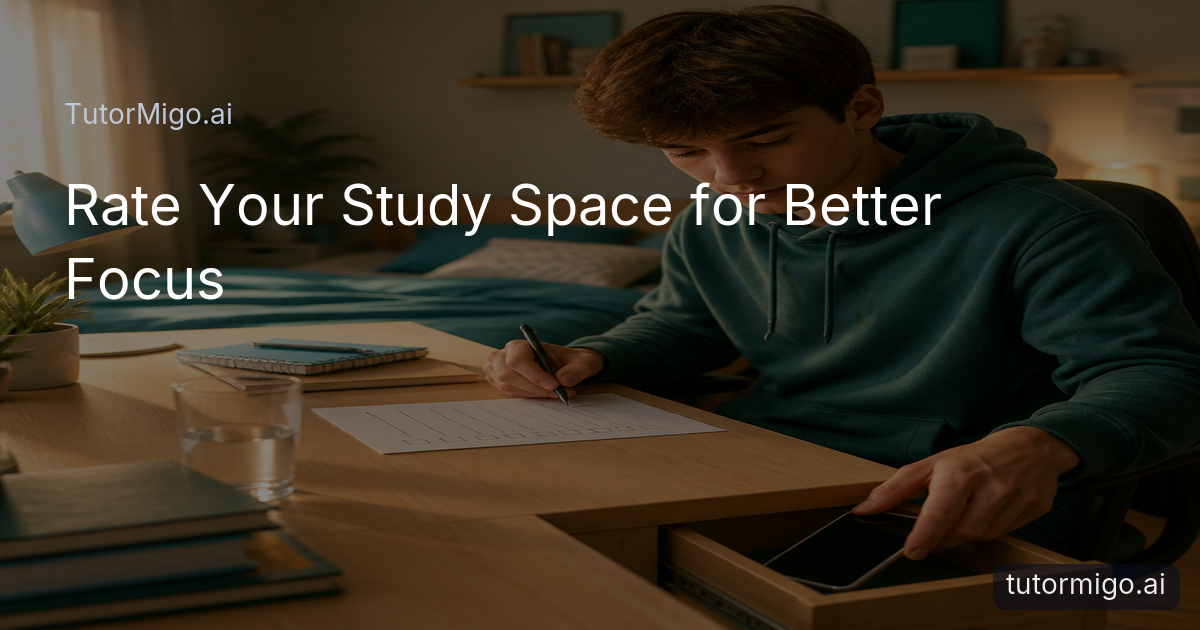
Do Your Study Habits Signal Focus—or Scrolling?

You sit down to study, but your hand reaches for your phone before you have opened a notebook. The desk is also where you watch videos, snack, game, and answer messages, so your brain receives several competing instructions at once. That does not mean you lack discipline. It may mean the room has become strongly associated with quick entertainment rather than patient effort.
A study space does not need to look perfect or resemble a library. It needs to make the next useful action obvious. A cleared corner of a kitchen table can work if it has decent light, a chair you can tolerate, and fewer tempting interruptions than the sofa. Even a small change—moving the game controller out of sight or charging your phone across the room—can alter the cue your brain notices when you sit down.
This audit is a diagnostic snapshot, not a judgment. You are looking for friction: the details that make starting harder, break concentration, or encourage you to leave after five minutes. Rate four categories honestly, then repair only the weakest one. You do not need to redesign your room, buy special equipment, or create a perfect routine before beginning. The goal is a space that quietly supports the behavior you want more often.
Distraction Level Checklist: Phone, Notifications, and Background Noise
Start with the interruptions you can see and hear. Before a 30-minute session, ask:
- Is your phone in another room, inside a bag, or at least out of sight?
- Are message, social, and app notifications muted for the session?
- Is a television playing nearby, even if you believe you are ignoring it?
- Are conversations, music, traffic, or household activity likely to pull your attention away?
- Are unrelated browser tabs already open and inviting you to wander?
Try a concrete comparison rather than guessing. Work for ten minutes with your phone face down beside you, then repeat on another day with it across the room. Notice how often you look toward it, think about checking it, or pause to respond. The difference may be more revealing than a general promise to “focus harder.” If complete silence feels uncomfortable, choose one predictable sound source, such as quiet instrumental music, and keep it consistent.
There is one small digital exception worth noting. Guided study modes that keep one task on-screen, such as TutorMigo’s Socratic or Step-by-step modes, may reduce in-session tab-wandering when you are already studying online. That is a limited convenience, not a substitute for putting distractions away. If your phone is buzzing beside your elbow or the television is competing for attention, changing the physical setup will usually be the more direct first move.
Comfort Calibration: Desk, Chair, and the Bed Question
Your study space should be comfortable enough to support a focused half hour, but not so comfortable that your body interprets it as sleep time. Check whether both feet can rest reasonably, your shoulders can relax, and your screen or book can sit high enough that you are not bending your neck constantly. A chair does not need to be expensive. It needs to let you stay in one position without pain becoming the main event.
Then consider the question of studying in bed. It can be useful when illness, disability, or limited space makes a desk impractical, but the bed often has a strong association with sleep. If you start drifting off after three pages, try sitting on the edge of the bed with a firm surface, moving to a nearby table, or using the bed only for review cards instead of demanding problem-solving. The issue is not moral; it is whether the location reliably supports the behavior you need.
Use a short trial to calibrate instead of making a permanent rule. Set a timer for 30 minutes and complete one defined task. At the end, ask whether you were physically uncomfortable, restless because the space was too relaxed, or able to work without noticing your posture. Parents and teachers can use the same observation with a learner: “What made staying there difficult?” is more helpful than assuming the student is unmotivated. Adjust one variable at a time—chair, surface, or position—so you can tell what actually improved the session.
Lighting and Setup: Keep Your Study Materials Within Reach
Lighting affects more than appearance. A dim corner can make reading tiring, while strong glare on a screen encourages squinting and frequent repositioning. Look for natural light or a bright, even lamp aimed so it illuminates your book without shining directly into your eyes or reflecting off the display. If you study at different times, check the space in the evening as well as during the afternoon; a setup that works at 3 p.m. may feel gloomy at 8 p.m.
Next, perform a reach test. Can you get your notebook, pen, calculator, water, charger, and required textbook without standing up every few minutes? Materials do not need to be beautifully organized. A single tray or stack beside the desk may be enough. Put only the items needed for the current task within reach, because a crowded surface can become its own distraction. Keep unrelated mail, hobby supplies, and snack wrappers outside the immediate work area when possible.
Imagine a student solving a set of algebra problems who has to leave the room for a pencil, then notices laundry, checks a message, and returns eight minutes later. The interruption was small; the recovery cost was not. A prepared setup protects the first fragile minutes of attention. If you use interactive study tools such as a whiteboard or math step editor, open the relevant material before starting and place paper notes nearby. The point is not to add technology. It is to remove avoidable searches and movements that fracture a short session.
Association Check: What Else Happens in This Space?
Ask what your brain usually expects in the place where you plan to study. Do you eat there while watching shows? Scroll on the sofa? Game at the desk? Sleep beside the textbook? None of these activities is automatically a problem, but repeated behaviors create strong cues. When the same chair has been the place for an hour of gaming every evening, opening a difficult chapter there may feel unusually effortful because the familiar sequence points somewhere else.
Make a quick association inventory for your actual space. List the activities that happen there most often, then mark which ones compete with studying. If the desk is also your gaming station, put the controller away and close the game before bringing out school materials. If the kitchen table is shared with meals, clear one defined place for the session and remove it when you finish. If the sofa is the only available option, use a lap desk, a particular lamp, or a repeatable study playlist as a new focus cue.
You do not need a separate room to create a useful association. Consistency matters more than size. Starting with the same two-minute ritual—clear the surface, place the phone away, open the assigned task—can gradually teach your brain what happens next. A parent, teacher, or lifelong learner can help by asking which environmental cue makes starting easier, rather than prescribing an ideal setup. The honest answer may be that the best study location changes by task: quiet for reading, a shared table for accountability, or a whiteboard for working through a difficult idea.
A Small TutorMigo Benefit: Guided Modes That Limit Tab-Wandering
This article focuses deliberately on the physical environment rather than promoting a product. However, when studying online, the screen also becomes part of that environment. TutorMigo’s AI Tutor Workspace offers personalized tutoring chat with session history, allowing learners to return to ongoing work instead of starting from a blank conversation each time. This can provide continuity when the physical setup is ready but the academic task remains unclear.
The narrower benefit here is guided attention. TutorMigo’s Socratic and Step-by-step modes can keep the interaction centered on one question or process, which may reduce the temptation to open unrelated tabs during a session. An AI Tutor can be useful when you need a prompt, explanation, or next step while staying with the same task. It does not mute your phone, remove a television, or make an uncomfortable chair better. Those remain environmental decisions. Visit: Tutormigo.ai
Use the feature only if it genuinely matches the problem. If your issue is “I cannot begin because I do not know what to do next,” a guided mode may help you stay engaged. If your issue is “I keep checking notifications,” put the phone away first. The practical TutorMigo benefits are strongest when they complement, rather than replace, a sensible study setup. You can also choose paper, a textbook, a whiteboard, or another tool when those are better for the task. The goal is sustained attention, not maximum platform use.
Fix Your Lowest-Scoring Category This Week
Choose the single lowest-scoring category and make one change small enough to complete today. If distraction is red, charge your phone outside the room and mute notifications before sitting down. If comfort is red, move from the bed to a firm chair for one 30-minute block, or add a cushion if the chair is the problem. If lighting and setup are red, place one lamp and one tray of essential materials beside the work surface. If association is red, reserve the space for study during a specific window and put entertainment items away first.
Define success in observable terms. “Improve my setup” is difficult to evaluate; “keep my phone in the hallway for one math session on Tuesday” is clear. At the end, record whether the change reduced interruptions, made starting easier, or helped you remain seated. If nothing changed, that is still useful evidence. The fix may be aimed at the wrong category, or the adjustment may need to be more specific.
An AI Tutor, textbook, flashcard deck, or teacher instruction can help with what you study, but your environment determines how easily you can stay with it. Once the lowest category is more manageable, repeat the audit rather than overhauling everything at once. A learner might move from red distraction to yellow, then notice that lighting is now the main obstacle. That is progress through diagnosis, not perfection. Start with one physical change, complete one focused session, and let the next observation guide you.
Have a look into tutormigo.ai
| Study need | TutorMigo.ai | General-purpose chatbot |
|---|---|---|
| Continuing an ongoing task | AI Tutor Workspace includes session history for returning to personalized tutoring work. | A general-purpose chatbot may support a conversation, depending on its product and settings. |
| Staying with one study process | Socratic and Step-by-step modes provide guided approaches within TutorMigo. | A general-purpose chatbot may offer guided answers, but the experience depends on the prompt and tool. |
| Working through interactive tasks | Study Tools includes a whiteboard, code sandbox, and math step editor. | A general-purpose chatbot may explain a task, while interactive tool availability varies. |
| Structured preparation and progress | TutorMigo offers structured SAT, ACT, AP, and IELTS preparation with practice sets and progress tracking. | A general-purpose chatbot may help explain exam topics, but structured preparation and tracking depend on the specific product. |
Pros and cons
Pros
- A simple color rating turns vague study-space frustration into a specific next step.
- The checklist works in a bedroom, shared room, kitchen, or other limited space.
- Small physical changes can support focus without requiring a complete room makeover.
- Guided online tutoring modes may reduce tab-wandering during a single task.
Cons and limitations
- A checklist cannot remove unavoidable household noise, limited space, or physical discomfort on its own.
- A better study space does not replace a clear task, appropriate support, or enough time.
- Digital guidance helps with on-screen focus but cannot control phones, televisions, or other room distractions.
Frequently asked questions
No. A defined corner of a shared room can work. Use repeatable cues such as clearing one surface, moving your phone away, and keeping only the current materials within reach.
Not always. It may be practical for some learners, but if you become sleepy quickly, try a firmer surface or reserve the bed for lighter review rather than demanding problem-solving.
Choose the category causing the most immediate disruption, make one small change, and test it for a single 30-minute session. This is a diagnostic process, not a pass-or-fail test.
TutorMigo’s AI Tutor Workspace, including guided Socratic and Step-by-step modes, can help keep an online task centered. It works best alongside practical changes such as muting notifications and preparing materials.
Explore TutorMigo
Enjoyed this read?
Like, share, or comment below.



Comments
0Sign in required · respectful discussion · replies supported
Loading comments…