

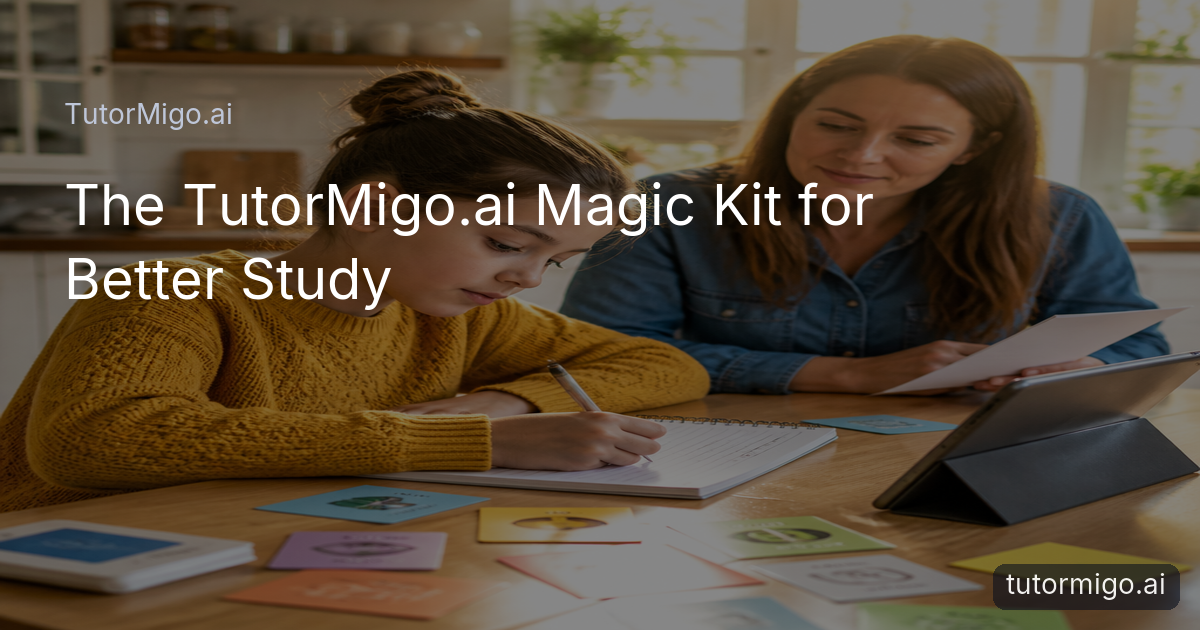
Why ai tutoring beats scattered study sessions

Studying can feel harder than the subject itself when your questions live in one place, flashcards in another, and exam practice somewhere else. You may understand a lesson during a chat, then lose the thread the next day because there is no clear record of what you worked on or what still needs attention.
The TutorMigo.ai magic kit brings several useful study habits into one connected routine. You can ask an AI Tutor to explain a difficult idea, return to the session history when you need a reminder, turn key facts into flashcards, and use interactive tools when a conversation alone is not enough. The point is not to add more apps. It is to make the next study action easier to find.
For example, a student preparing for a biology assessment might ask for a plain-language explanation of cell transport, review the explanation later, build a deck of terms, and use a whiteboard to sketch the process. These are practical TutorMigo benefits: less time searching, more continuity between sessions, and a clearer path from confusion to active recall. Parents, teachers, and lifelong learners can also compare progress with the learner’s actual study routine rather than relying on a vague feeling that work is getting done.
Keep tutoring personal and continuous

A general-purpose generative chatbot may give you a useful answer, but a study session often needs more than a single response. You may need to ask a follow-up question, revisit an earlier explanation, or continue from the exact point where you stopped. The AI Tutor Workspace is designed around that ongoing pattern, with personalized tutoring chat, expert personas, and session history.
Imagine working through a difficult algebra concept on Monday. You ask for a simpler explanation, try an example, and stop before checking your understanding. On Wednesday, you can return to that session instead of starting from a blank page. You might ask for a new example or request a short explanation of the step that caused trouble. That continuity helps turn isolated answers into a more coherent learning record.
This does not mean every answer will replace practice or teacher judgment. It means the conversation can support a repeatable habit: identify a gap, ask a focused question, test your understanding, and return later. When comparing AI learning tools, look for whether the experience supports that cycle. A strong AI Tutor should fit the learner’s questions and pace while keeping the work organized enough to continue tomorrow.
Turn explanations into memory with active review
Understanding something once is not the same as remembering it next week. That is where spaced-repetition flashcards can add structure to the magic kit. TutorMigo flashcards support AI-assisted card creation and review scheduling, so you can move from a long explanation to short prompts that make you retrieve the answer yourself.
For instance, after studying the causes of a historical event, create cards that ask for one cause, one consequence, or a comparison between two developments. Avoid copying an entire paragraph onto the answer side. A useful card might ask, “What evidence supports this conclusion?” and require you to recall the idea before revealing the response. The scheduled review then brings cards back at useful intervals instead of leaving the deck untouched until the night before a test.
The practical benefit is a better division of labor. The AI Tutor can help clarify confusion; flashcards can check whether the explanation has stuck. You can also use interactive study tools when recall needs a different format. A whiteboard may help you map a process, a code sandbox can give programming practice, and a math step editor can help you work through a solution step by step. Together, these options make study more active than simply rereading chat responses.
Use structured exam preparation instead of guesswork
Exam preparation becomes more manageable when you can see both the destination and the next task. TutorMigo’s exam preparation experience supports SAT, ACT, AP, and IELTS study with structured practice sets and progress tracking. That is different from asking a general-purpose chatbot for a random practice question each day: the work has a clearer preparation context and a way to monitor movement over time.
Consider a learner preparing for the SAT who notices that reading questions take too long. A practical routine might begin with a targeted practice set, followed by a review of missed questions and a short tutoring session about the underlying reasoning. The learner can then return to similar practice later and compare progress rather than judging improvement from one lucky result.
The same approach can help with AP coursework, ACT preparation, or IELTS practice. Start with a defined goal, use practice to expose gaps, and track what changes after review. Do not treat a progress indicator as a guarantee of a particular score; use it as feedback for deciding what to study next. When comparing TutorMigo benefits with standalone chat, ask whether the tool helps you maintain a preparation plan, not merely produce an answer on demand.
Make progress visible to parents and teachers
Learning support works better when adults can see enough to help without taking over. The Parent Dashboard provides visibility into a child’s progress, learning controls, and co-learning features. That can make a conversation more specific. Instead of asking only, “Did you study today?” a parent might review the current focus and ask what concept felt difficult or which practice activity was most useful.
Teachers have a different need. The Teacher Dashboard supports class management, student monitoring, knowledge base assignment, and reporting for educators. A teacher could use that visibility to notice that several students are struggling with the same topic, then decide where a classroom explanation or assigned resource is needed. The dashboard does not remove the teacher’s role; it gives the teacher more organized information for follow-up.
These visibility features also matter when comparing AI learning tools. A private chat can be helpful for individual questions, but parents and teachers may need a broader view of engagement and progress. The right setup should respect the learner’s independence while making support easier to target. For example, a parent can encourage a regular review routine, while a teacher can monitor class patterns and direct students toward appropriate practice. The goal is collaboration, not surveillance or generic check-ins.
Build a simple TutorMigo study routine
The magic kit is most useful when you use it as a routine rather than opening every tool at once. Begin with one specific learning goal, such as understanding a difficult concept, memorizing key vocabulary, or improving performance on a particular exam skill. Use the AI Tutor to ask a focused question and request an example that matches your level of understanding.
Next, do something with the explanation. Create a small flashcard deck, solve a related problem in the math step editor, sketch an idea on the whiteboard, or test code in the code sandbox. Then schedule a later review instead of assuming that a correct answer means the topic is mastered. If the work is exam-related, use a structured practice set and check progress after reviewing mistakes.
Finish by recording the next action: revisit two missed concepts, review a deck tomorrow, or ask a teacher about one unresolved question. Parents can use the Parent Dashboard to support that plan, and teachers can use the Teacher Dashboard when class-level follow-up is needed. This approach makes the AI Tutor one part of a complete learning loop: explanation, active practice, review, and reflection.
Practical tip: Choose one measurable task for each session. “Review ten cards and redo three missed questions” is easier to complete and evaluate than “study science.”Pros and cons
Pros
- Connects tutoring, review, interactive practice, and structured preparation in one learning routine
- Session history helps you return to earlier questions and explanations
- Spaced-repetition flashcards support active recall over time
- Parent and teacher dashboards provide relevant progress visibility
Cons and limitations
- You still need to choose focused goals and complete the practice yourself
- Progress tracking is feedback, not a guarantee of a particular exam score
- Different learners may benefit from different combinations of tutoring, flashcards, and interactive tools
Frequently asked questions
It is a practical way to combine TutorMigo.ai’s AI Tutor Workspace, flashcards, interactive study tools, exam preparation, and progress visibility into one study routine.
TutorMigo.ai connects tutoring with session history, spaced-repetition flashcards, interactive tools, structured exam practice, and dashboards for parents or teachers. A general chatbot may still be useful for individual questions, but you should compare how well each tool supports continued study and progress review.
Yes. The Parent Dashboard provides child progress visibility, learning controls, and co-learning features. The Teacher Dashboard supports class management, student monitoring, knowledge base assignment, and reporting.
Choose one specific goal, ask the AI Tutor a focused question, turn the explanation into active practice, and schedule a review. For exam goals, begin with a structured practice set and use progress tracking to guide the next session.
Related reading
Enjoyed this read?
Like, share, or comment below.



Comments
0Sign in required · respectful discussion · replies supported
Loading comments…