

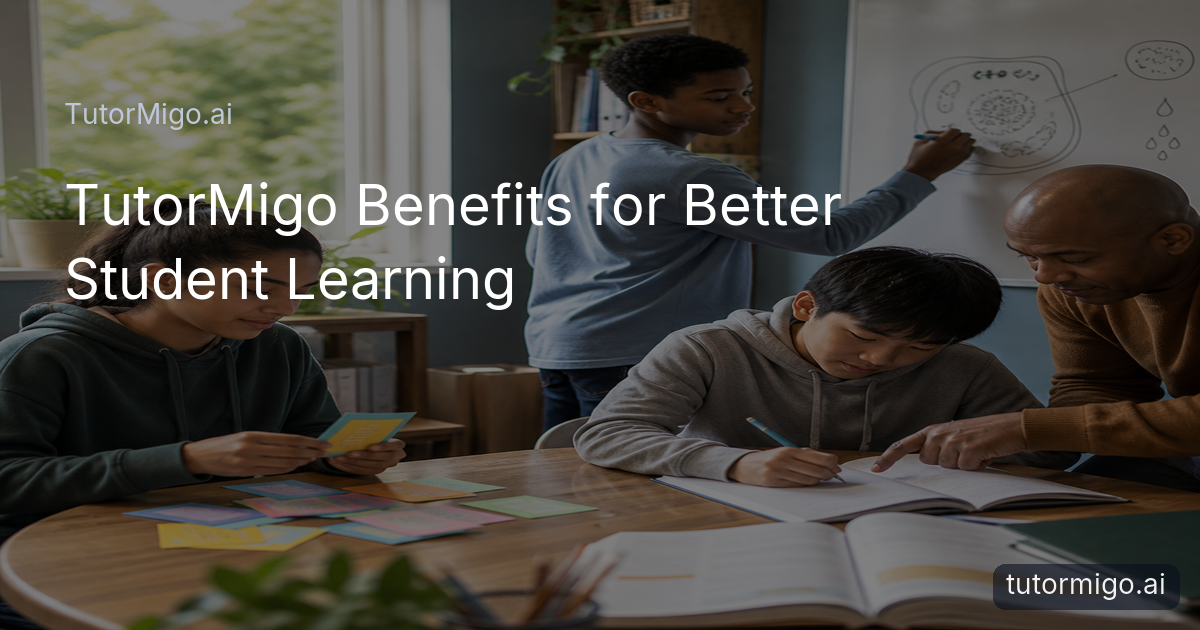
How AI Tutoring Makes Studying Easier
 Studying often becomes difficult for a simple reason: the explanation, pace, or practice does not match what you need at that moment. You may understand the first step of a math problem but get stuck on the second, or recognize a vocabulary word without being able to recall it during a test. TutorMigo.ai helps address that gap with an AI-powered learning experience built around your questions, responses, and ongoing study needs.
In the Tutor Workspace, you can ask for a simpler explanation, a worked example, or a fresh way to approach the same idea. A student learning fractions might begin with a visual explanation, then request practice problems that gradually become more challenging. Instead of treating every learner as if they started in the same place, the session can respond to the question in front of you.
Session history also gives your learning more continuity. You can return to an earlier topic, review what confused you, and continue without starting from zero. That is one of the most practical TutorMigo benefits: support is available when you need it, while the conversation remains connected to your learning goals.
Turn explanations into active practice
 Understanding an explanation is useful, but remembering and applying it requires practice. TutorMigo.ai combines personalized help with study activities that encourage you to retrieve information, test an idea, and notice where your understanding is still developing. This matters because rereading notes can feel productive without showing whether you can answer a question independently.
Flashcards use spaced repetition to bring material back at useful intervals. For example, a student preparing for a biology unit could review cell structures today, see difficult cards again sooner, and encounter familiar cards less often. AI-assisted card creation can help turn a set of study material into a review deck, while scheduled practice gives the learner a clear next step instead of an unstructured pile of notes.
Interactive tools make practice more hands-on. You might sketch a geometry diagram on the whiteboard, work through a calculation in the math step editor, or test a programming idea in the code sandbox. These activities create a bridge between “I saw how it works” and “I can do it myself.”
Study tip: After receiving an explanation, ask yourself to solve a similar problem without looking at the answer. Then use the tutor or an interactive tool to check the step where your reasoning changed direction.Build a clearer path through exam preparation
Exam preparation is easier to manage when practice has structure. Instead of jumping randomly between topics, students can use TutorMigo.ai’s Exam Preparation experience for SAT, ACT, AP, and IELTS study. Practice sets and progress tracking help turn a large test into smaller, visible tasks that can be reviewed over time.Consider a student preparing for the SAT who notices that algebra questions take longer than reading questions. A structured study routine can give algebra more attention, provide repeated practice, and make progress easier to monitor. Another student preparing for IELTS might use practice to identify whether writing or reading needs more consistent review. The useful detail is not just completing a question; it is seeing which areas deserve the next study session.
Students can also combine exam practice with the wider learning workspace. If a question exposes confusion about a concept, personalized tutoring can explain it in a different way. Flashcards can support terminology or formulas, while the math step editor can help the learner examine the reasoning behind a solution. This creates a practical loop: identify a gap, learn the concept, practise it, and check progress again.
For families and teachers, visible progress can make conversations more specific. “Study harder” becomes “Let’s review the topic that has caused repeated difficulty and check it again on Friday.”
Keep families and teachers connected to progress
Students benefit when the adults supporting them can see learning patterns without taking over every study session. TutorMigo.ai’s Parent Dashboard provides visibility into a child’s progress, learning controls, and co-learning opportunities. A parent might notice that a child is consistently returning to the same subject and use that information to ask, “Which part feels unclear?” rather than assuming the student is simply not trying.Teachers have a different need: they may be supporting an entire class with varied strengths and gaps. The Teacher Dashboard helps with class management, student monitoring, knowledge base assignment, and reporting. That can make it easier to identify who needs a reminder, who is ready for a greater challenge, and which concepts may need to be revisited with the whole group.
Visibility works best when it supports useful action. A teacher could assign a knowledge base for an upcoming unit, review student activity, and use reporting to plan a small-group explanation. A parent could schedule a short co-learning session, help a student set a realistic review target, and celebrate steady progress rather than focusing only on scores.
This shared view also supports student independence. The goal is not constant supervision; it is giving students a clear way to understand their own progress while trusted adults can provide timely encouragement.
How an AI tutor differs from general-purpose chat
General-purpose generative chatbots can be useful for brainstorming questions or requesting an explanation. The practical difference with TutorMigo.ai is the learning context around the conversation. The Tutor Workspace is designed for personalized tutoring, with expert personas and session history that help students return to an ongoing area of study rather than treating every question as an isolated exchange.The surrounding tools matter too. A student can move from an explanation to spaced-repetition flashcards, a whiteboard activity, a math step editor, or a code sandbox. For a learner working on a programming concept, that means asking about the idea and then testing it in a focused study environment. For someone reviewing vocabulary, it means moving from a definition to scheduled recall practice.
Structured exam preparation and progress tracking add another layer. Instead of using a chatbot only when confusion appears, students can follow practice sets and observe which areas need more attention. Parents and teachers can also use their dashboards to support learning with more context.
These differences do not mean a general-purpose chatbot has no educational value. They mean the best choice depends on your goal. If you want a quick answer, many tools may help. If you want an AI Tutor that combines explanations, continued sessions, active practice, study tools, and progress visibility, a dedicated learning platform offers a more connected routine.
For a broader comparison of approaches, see this guide to AI tutoring versus traditional tutoring.
Start with one learning goal and build from there
The easiest way to explore TutorMigo.ai is to begin with a specific learning need. Choose one topic that feels difficult, such as solving linear equations, remembering language vocabulary, or understanding a science process. Ask for an explanation at your current level, then request a similar problem and try it without copying the example.Next, turn the topic into a small routine. Use flashcards for facts that need repeated recall, an interactive study tool for work that benefits from visible steps, or structured exam practice if you are preparing for SAT, ACT, AP, or IELTS. A short, repeatable session is usually more useful than waiting for one long study block each week.
At the end of a session, note what still feels uncertain. Return to the same topic later through session history, review the cards that require more practice, or ask a parent or teacher to help you choose the next step. Families and educators can use progress visibility to make that support more focused and encouraging.
In short, the main TutorMigo benefits come from connecting personalized explanations with active practice and consistent follow-up. Start with one goal, practise what you learned, and use progress information to decide what comes next.
To see how personalization can shape the learning experience, explore personalized digital tutoring and student success.
Pros and cons
Pros
- Personalized explanations and session continuity
- Spaced-repetition flashcards and interactive study tools
- Structured exam preparation with progress tracking
- Visibility for parents and teachers
Cons and limitations
- Students still need to practise actively rather than only read explanations
- The most useful results depend on choosing clear goals and reviewing consistently
Frequently asked questions
TutorMigo.ai combines personalized explanations, session history, spaced-repetition flashcards, interactive study tools, structured exam preparation, and progress tracking. Students can use the tools together to understand a topic, practise it, and revisit it later.
Yes. The Exam Preparation feature supports structured preparation for SAT, ACT, AP, and IELTS with practice sets and progress tracking. Students can also use tutoring, flashcards, and study tools to review concepts connected to their exam work.
Parents can use the Parent Dashboard for progress visibility, learning controls, and co-learning support. Teachers can use the Teacher Dashboard for class management, student monitoring, knowledge base assignment, and reporting.
TutorMigo.ai is built around an ongoing learning workflow: personalized tutoring and session history are connected with flashcards, interactive study tools, structured exam preparation, and dashboards for parents and teachers. A general-purpose chatbot may still be useful for individual questions, but it may not provide the same connected study routine.
Related reading
Enjoyed this read?
Like, share, or comment below.


Comments
0Sign in required · respectful discussion · replies supported
Loading comments…