

ai tutoring for Math Problems That Stop Making Sense

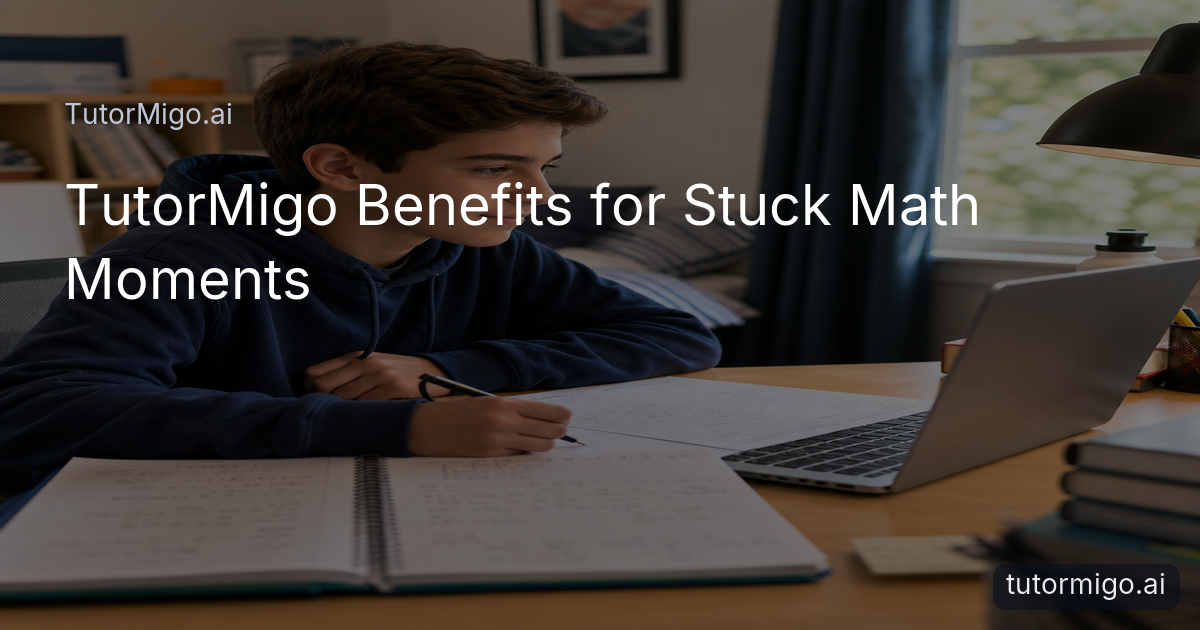
You know the scene: a student sits at the kitchen table or bedroom desk, pencil nearby, notebook open, and the same difficult problem still unfinished. The equations may look familiar, but one missing step has made the whole lesson feel confusing. A helpful response at that moment should do more than provide an answer. It should make the next step understandable.
That is the central idea behind the TutorMigo benefits shown in this kind of realistic learning moment. The student begins with a natural expression of uncertainty, not an exaggerated crisis. They look back at the worked examples, try a step, and pause. Then TutorMigo.ai becomes a patient place to ask what is unclear and work through the concept at a manageable pace.
For example, a student might enter a question about solving . Rather than treating the result as the entire lesson, the AI Tutor can help the learner focus on why subtracting first keeps the equation balanced. That small explanation can turn a stalled assignment into a solvable task. The change in expression—from confusion to concentration to satisfaction—is the benefit families and educators want to see.
A strong tutoring experience should make the student feel more capable after the session, not simply finished with the worksheet.
What a Guided TutorMigo Session Looks Like

The most useful part of a tutoring session is often the transition between “I do not know what to do” and “I can try the next step.” In TutorMigo.ai AI Tutor Workspace, a student can describe the point of confusion and receive personalized tutoring in a conversational workspace. Session history also helps the learning experience continue instead of starting from zero every time.
Imagine the student types that they do not understand why a negative sign changed during a simplification problem. The tutor can respond to that specific question, explain the idea in plain language, and invite the learner to test it on a similar expression. The student remains involved: they read, think, write, and check their reasoning rather than watching a dramatic automated solution appear.
This is where an AI Tutor can feel different from a static answer key. The value is not only speed. It is the ability to ask a follow-up question, revisit an earlier explanation, and continue from the current level of understanding. A parent watching the scene sees a practical shift: the student is still doing the work, but has support when the textbook example is not enough.
For a promotional video, keep the interface clean and the transitions smooth. Show the notebook, the unfinished assignment, the question on screen, and then the student writing a corrected step. Blue and white visual details can suggest clarity without making the learning feel futuristic or artificial.
Build Continuity Beyond One Homework Question
One successful explanation matters, but lasting progress usually requires returning to an idea later. A student who understands a lesson at 8 p.m. may still forget it before the next quiz. TutorMigo.ai supports that continuity through tools that let learners review, practise, and return to material in more than one format.
Spaced-repetition flashcards and scheduled review can help a student revisit vocabulary, definitions, formulas, or problem-solving reminders over time. A learner might make cards about the meaning of a coefficient, then review them the next day and again after a longer interval. The point is not to replace problem solving with memorization; it is to keep key ideas available when the student needs them.
Interactive practice can also make an abstract explanation more concrete. In the Study Tools Hub, a student can use the math step editor or whiteboard to lay out reasoning one stage at a time. That is useful when a notebook is crowded with crossed-out work and the learner cannot tell where the mistake began. Seeing each step separately gives the student a cleaner way to inspect their thinking.
These features make the original video moment more than a one-time rescue. The student finishes the problem, reviews the idea later, and returns to the next assignment with a clearer routine. That is a practical TutorMigo.ai benefit: support can fit into the learner’s ongoing study habits.
TutorMigo and General-Purpose Chatbots: A Practical Comparison
When comparing learning tools, it helps to ask how well each option supports the whole learning process. A general-purpose chatbot may be useful for a quick explanation or brainstorming a question. TutorMigo.ai is designed around a more focused tutoring experience, with a personal workspace, learning tools, and structured options that connect to study routines.
The distinction is not that one type of tool can never answer a question. Both may produce an explanation, and the quality of any response still depends on the question and the learner’s review. The practical difference is whether the surrounding experience helps a student continue learning after the first answer. Session history, interactive math work, flashcard review, and adult visibility can matter when the goal is understanding rather than a single output.
For example, a student could use a general chatbot to ask for a definition, then use TutorMigo.ai to discuss a confusing step, work through it in the math editor, and return to the concept with spaced review. A parent or teacher can then look for signs of progress through the appropriate dashboard rather than relying only on a student’s quick report that the problem is done.
The fairest comparison is therefore about fit. If you need a one-off conversational response, a general tool may be sufficient. If you want tutoring continuity and study support gathered in one learning environment, the following differences are worth considering.
| Learning need | General-purpose chatbot | TutorMigo.ai |
|---|---|---|
| A quick explanation | Can provide a conversational response to a question | Provides personalized tutoring in the AI Tutor Workspace with session history |
| Working through math steps | May explain a solution in chat | Includes an interactive math step editor and whiteboard in Study Tools |
| Reviewing a concept later | Usually requires the learner to organize review separately | Offers spaced-repetition flashcard decks with review scheduling |
| Adult visibility | Depends on the tool and the learner sharing updates | Provides parent visibility through the Parent Dashboard and educator monitoring through the Teacher Dashboard |
| Structured test preparation | May answer questions about a test when prompted | Offers structured preparation for SAT, ACT, AP, and IELTS with practice sets and progress tracking |
Keep Parents and Teachers Connected to Progress
Students need independence, but the adults supporting them also need a realistic view of what is happening. A completed worksheet does not always show whether the learner understood the concept or guessed through the final step. TutorMigo.ai includes separate visibility tools so support can be more informed without turning every homework session into an interrogation.
Through the Parent Dashboard, families can view child progress, use learning controls, and take part in co-learning. A parent might notice that a student has repeatedly returned to the same math topic and respond with a useful question: “Which part still feels unclear?” That is more constructive than assuming the learner is careless because the assignment took a long time.
Teachers have a different need. The Teacher Dashboard supports class management, student monitoring, knowledge base assignment, and reporting. A teacher could use that visibility to identify a common area for review or to follow up with a student who needs a different explanation. The dashboard does not replace professional judgment; it gives educators a clearer starting point for that judgment.
In the video’s final moments, the student smiles after completing the problem, while the wider story remains grounded. Confidence comes from understanding and practice, not from an exaggerated “instant success” effect. Parents and teachers can support that process by noticing effort, asking about the reasoning, and using progress information to guide the next session.
Turn a Stuck Moment Into the Next Step
A useful learning video should end with a clear, believable action. After the student completes the problem, show the finished notebook beside the device and let the expression change naturally from concentration to satisfaction. The message can appear simply: “Stuck on a Topic?” followed by “TutorMigo.ai Helps You Understand It.” The visual should communicate relief through understanding, not through flashy AI effects.
For students, the next step is to bring one real question to the tutor workspace, explain which part feels difficult, and work through the response carefully. If the concept needs reinforcement, create or review tutormigo.ai flashcards and use an interactive tool to practise the reasoning. A small routine—ask, try, review, return—can be easier to maintain than waiting until every question has become urgent.
Parents can begin by asking what the student learned rather than asking only whether the assignment is finished. Teachers can use available monitoring and reporting tools to spot patterns and decide where additional guidance is useful. Lifelong learners can apply the same approach to unfamiliar topics: identify the sticking point, seek a clear explanation, practise actively, and revisit it later.
End with the final call to action: “Learn at your pace with TutorMigo.ai .” That line works because it describes a practical promise: support that meets the learner at a difficult moment and helps them take the next step with more confidence.
Pros and cons
Pros
- Personalized tutoring with session history
- Interactive whiteboard and math step editor
- Spaced-repetition flashcards with scheduled review
- Parent and teacher visibility into learning progress
Cons and limitations
- Students still need to read explanations and attempt the work themselves
- The best results depend on asking clear questions and returning for practice
- Dashboard visibility supports adult guidance but does not replace parent or teacher judgment
Frequently asked questions
TutorMigo.ai combines personalized tutoring, session history, interactive math tools, and spaced-repetition flashcards. Together, these features can help a student understand a difficult step, practise it, and revisit it later.
A general-purpose chatbot may provide a useful one-off explanation. TutorMigo.ai adds a focused tutor workspace, session continuity, interactive study tools, review scheduling, and dashboards for parents or teachers, making it better suited to an ongoing learning routine.
Yes. The Parent Dashboard provides parent visibility into child progress, learning controls, and co-learning features. It can help families have more informed conversations about study habits and areas that need support.
Flashcards use spaced-repetition decks with AI-assisted card creation and review scheduling. Students can use them to revisit important ideas after the original tutoring session.
Related reading
Related reading
Related reading
Related reading
Enjoyed this read?
Like, share, or comment below.

Comments
0Sign in required · respectful discussion · replies supported
Loading comments…