


Start ai tutoring with recall, not copied answers
If your child can ask a chatbot for an answer, how do you know they are learning? An AI tutor can support understanding when you use it for hints, explanations, and recall practice—not finished work. The useful test is whether your child can explain the idea later, without looking.
Start with a small learning goal, such as explaining why puddles disappear. Ask your child what they think before opening the chat. Then request one hint rather than a complete response: “Help me think about where the water goes. Ask me a question before explaining.” Afterward, close the explanation and have your child describe evaporation in their own words.
TutorMigo.ai’s AI Tutor Workspace offers personalized tutoring chat and session history. You can use that conversation to work through a specific misunderstanding, then revisit the explanation together. Personalization is most useful when your child supplies an honest attempt, rather than asking the system to complete an assignment.
Treat an expert persona as a way of framing the conversation, not proof that every answer is correct. The learning happens when your child makes an attempt, considers feedback, and tries again. Teachers remain important for explaining expectations, spotting persistent misconceptions, and judging work in context.
Build flashcards that test understanding
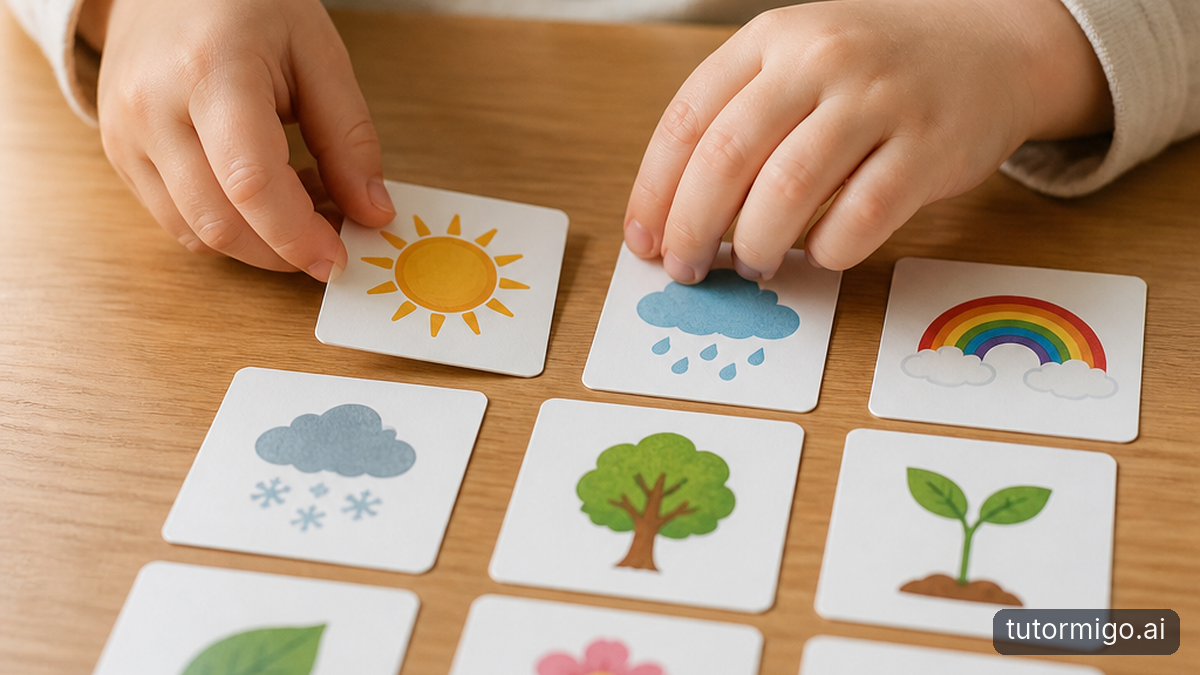
A useful flashcards study routine starts with good questions, not a huge deck. TutorMigo.ai’s Flashcards feature supports AI-assisted card creation and spaced-repetition decks. That can help you build practice material, but an adult or learner still needs to check what each card actually teaches.
For the evaporation example, avoid a card that simply asks your child to repeat a long paragraph. Use a focused prompt: “What happens to liquid water during evaporation?” Then add a separate application question: “Why might a wet towel dry faster in a warm place?” The first checks the core idea; the second checks whether your child can use it.
Keep each answer short enough to assess honestly. If a card asks about evaporation, condensation, precipitation, and collection all at once, split it into smaller questions. Otherwise, your child may remember one part and mistakenly count the whole answer as correct.
Check AI-assisted cards against the class material before reviewing them repeatedly. A mistaken answer becomes more troublesome when it is practiced often. Include a few examples your child creates independently, too. Our guide to personalized learning with spaced-repetition flashcards offers more context for connecting useful prompts with regular review.
Space reviews and use history to spot gaps
Spaced repetition spreads retrieval practice across time instead of concentrating it into one long sitting. TutorMigo.ai’s flashcards include review scheduling, which provides structure for returning to material. The schedule supports a habit; it does not guarantee that every remembered answer represents deep understanding.
During review, ask your child to answer before revealing the back of a card. If they cannot remember, let them check the explanation, then try to explain it again without looking. Avoid treating “that looks familiar” as successful recall. Recognizing a sentence on screen is easier than producing the idea independently.
Session history can provide another clue. Suppose your child repeatedly asks about the difference between evaporation and boiling. Revisit those conversations together, identify the confusing distinction, and build a focused comparison card. Later, ask about a different situation, such as clothes drying outdoors, to see whether the explanation transfers.
Keep reviews manageable and stop before tired guessing takes over. You might begin with a handful of cards, discuss one difficult concept, and return another day. For ideas about making this routine less dependent on reminders, see flashcard habits that help children study independently. Consistent, honest attempts matter more than racing through a large deck.
Use interactive tools to make thinking visible
Sometimes a correct spoken answer hides a shaky mental picture. Ask your child to draw how water moves from a puddle into the air, then explain the drawing. TutorMigo.ai’s Study Tools Hub includes a whiteboard, code sandbox, and math step editor. Choose a tool only when it fits the concept being reviewed.
The whiteboard can provide space for a diagram; the math step editor can help make a mathematical attempt visible. For a relevant coding concept, the code sandbox offers an interactive place to work. None of these tools automatically demonstrates understanding. Your child still needs to explain what they did and why it makes sense.
Turn a difficulty into a follow-up flashcard. If your child can label a diagram but cannot explain an arrow, make the arrow’s meaning the next recall question. This links hands-on practice with later retrieval rather than leaving the activity as a one-off exercise.
The comparison below is about workflow, not a claim that general-purpose chatbots cannot teach. Their capabilities vary, and some may offer overlapping tools. TutorMigo.ai brings tutoring chat, session history, scheduled flashcard review, and interactive study tools into a learning-focused offering. Still, your prompts and review habits determine whether the session becomes practice or answer collection.
Check accuracy and privacy before building a habit
An AI Tutor can give a confident explanation that is incomplete or wrong. Before adding an answer to a deck, compare it with your child’s textbook, teacher-provided notes, or another reliable source. Asking the same system “Are you sure?” may produce a different response, but it is not independent verification.
Imagine a generated card says evaporation happens only when water boils. That conflicts with the familiar example of a puddle drying. Pause, check the class explanation, and correct the card before further reviews. When you cannot resolve a discrepancy, save the question for the teacher rather than asking your child to memorize an uncertain answer.
Privacy deserves the same deliberate approach. Before using any service with your child, read its current privacy policy and age requirements. Check what conversations and study material it stores, how long it keeps them, whether they are used for model training, and whether third parties receive them. Find out how access and deletion requests work.
These are questions to verify, not promises about TutorMigo.ai’s data practices. Avoid entering full names, school identifiers, classmates’ information, or sensitive personal details. Type a short, anonymous practice question rather than uploading an entire document when that is sufficient. If an important policy is unclear, seek clarification before sharing your child’s material.
Trial one supervised session and set boundaries
Begin with one concept your child has already encountered in class. Ask for an unaided explanation, use the tutoring chat for a hint, and have your child try again. Together, check the answer against class material and create a small set of accurate flashcards. Finish by asking a fresh question without the screen.
At the next review, see what your child remembers before reopening the conversation. Session history can help you inspect the reasoning together: did your child attempt an answer, ask useful questions, and correct a mistake? That offers more useful oversight than counting how many responses the system produced.
For parent controls and progress visibility, verify exactly what is currently available before relying on it. Do not assume there are automatic alerts, content restrictions, usage limits, or a parent dashboard. The features described here establish session history, not those additional controls. Review the conversation together and ask your child to demonstrate learning directly.
Agree on simple boundaries: attempt work first, request hints before solutions, never submit AI-generated work as independent work, and follow the teacher’s rules. Set a stopping time and decide when to ask a teacher for help. A successful trial ends with your child explaining more—not merely possessing a better-looking answer.
| Learning task | TutorMigo.ai | General-purpose chatbots |
|---|---|---|
| Discuss a misconception | Personalized tutoring chat with expert personas. | Can provide explanations; tutoring behavior varies by service and prompt. |
| Revisit earlier reasoning | Session history in the AI Tutor Workspace. | Conversation history depends on the service and settings. |
| Build and review cards | AI-assisted card creation, spaced-repetition decks, and review scheduling. | May draft questions; dedicated review scheduling is service-dependent. |
| Work interactively | Whiteboard, code sandbox, and math step editor. | Available interactive tools vary by service. |
| Verify learning | Requires independent recall and accuracy checks. | Requires independent recall and accuracy checks. |
Frequently asked questions
Close the chat and ask for an explanation in their own words, followed by a new example. Repeat the check at a later review.
Check new cards against reliable class material before repeated practice. Prioritize clear questions, accurate answers, and one main idea per card.
No. It can support a shared review, but it does not prove independent understanding or establish that additional parental controls are available.
Related reading
Enjoyed this read?
Like, share, or comment below.


Comments
0Sign in required · respectful discussion · replies supported
Loading comments…