


How an ai learning companion helps when homework gets stuck

Your child is halfway through evening homework when a difficult question stops everything. You’re making dinner, finishing work, or helping someone else, and you cannot explain it immediately. An AI learning companion for children can offer another place to ask questions while keeping you and their teachers involved.
The immediate problem is often smaller than the whole assignment. Your child might understand the lesson but forget why a particular step works. Without help, that small gap can turn into guessing, copying an example without understanding it, or abandoning the task. Timely learning support gives them a chance to address the sticking point while the question is still clear.
That does not mean every hesitation needs an instant answer. A little productive struggle can be useful. What matters is having somewhere to turn after a genuine attempt: a place to say what they tried, identify the confusing part, and ask for a manageable hint.
For you, the practical benefit is another support option rather than another demand on your evening. The goal is not to remove you from homework. It is to help your child keep thinking until you can check in together.
Good learning support makes room for follow-up questions
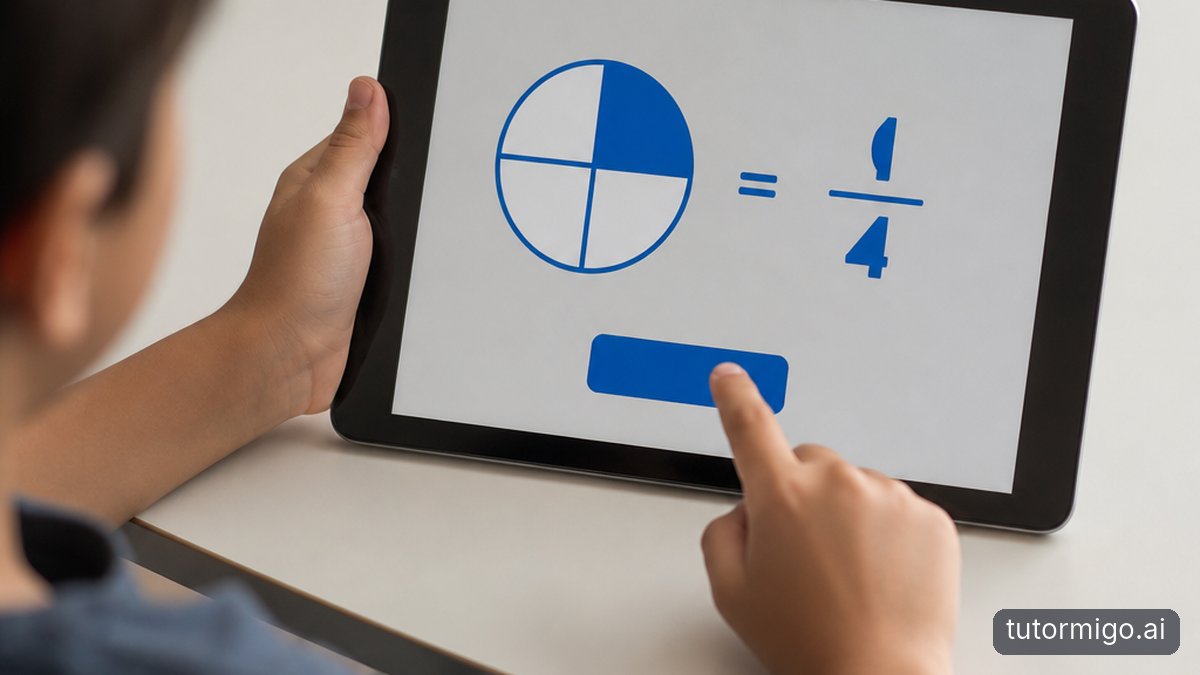
A helpful explanation is not necessarily the longest one. It is the one that addresses your child’s actual misunderstanding. If they ask why two fractions need a common denominator, simply showing the calculation may leave the central question unanswered. A useful follow-up might be, “Can you explain that using equal-sized pieces?”
This back-and-forth gives children a way to test their understanding. Encourage your child to describe the confusing step, request a different example, and then explain the idea back in their own words. Asking, “Can you give me a similar question to try?” can move the conversation from reading an explanation to using it.
Occasional tutoring sessions can provide valuable attention, encouragement, and expert judgment. Their limitation is timing: a question on Tuesday evening may not line up with the next appointment. Children may also forget exactly where they became confused by the time the session arrives.
An online educational assistant can supplement those sessions by helping your child explore questions between meetings. Save unresolved questions for the human tutor or teacher rather than assuming every AI explanation is correct. Our guide to AI tutoring and private tutoring trade-offs explores how these approaches can work alongside each other.
Compare support options by the job they need to do
Instead of asking whether AI or traditional tutoring is better overall, ask what your child needs at a particular moment. A teacher explains the curriculum and evaluates classroom learning. A human tutor can observe uncertainty, build a relationship, and adjust an explanation using professional judgment. AI-assisted learning offers another route for questions and practice between those interactions.
The comparison below highlights practical differences, not a winner. Access to a human tutor depends on arrangements and scheduling. Access to an AI platform depends on the service and your household’s device rules. Neither option automatically produces understanding; your child still needs to attempt the work and check what they have learned.
How is a dedicated learning platform different from a general chatbot?
General-purpose chatbots can also explain concepts and answer follow-up questions. The useful distinction is the surrounding learning workflow. When comparing an AI Tutor with a general chatbot, look for concrete tools such as session history, scheduled flashcard review, and parent visibility rather than relying on the product label.
Also consider friction. If your child needs several separate tools to revisit a conversation, practise a concept, and show you their work, the routine may become harder to maintain. Choose around the activities your family will actually use.
| Consideration | Traditional support | AI-assisted learning |
|---|---|---|
| Timing | Depends on school hours, availability, or appointments. | Another option between sessions, subject to service access. |
| Explanations | Human judgment and relationship-based guidance. | Conversational explanations that need accuracy checks. |
| Continuity | Discuss earlier work with the teacher or tutor. | Session history can help revisit earlier conversations. |
| Family involvement | Conversations and agreed progress updates. | Parent visibility depends on the platform’s features. |
TutorMigo benefits: connect explanations with practice
TutorMigo.ai brings several relevant learning tools into one platform. Its AI Tutor Workspace provides personalized tutoring chat, streaming responses, expert personas, and session history. That history gives your child a way to revisit earlier discussions instead of treating every homework question as an isolated event. Do not assume history guarantees perfect recall or understanding; check earlier explanations together when needed.
The Study Tools Hub includes a whiteboard, code sandbox, and math step editor. Depending on the assignment, your child can sketch an idea, explore code, or work through mathematical steps. An AI Tutor is most useful when the conversation supports this active work rather than becoming a shortcut to a finished answer.
Flashcards add another kind of practice: spaced-repetition decks with AI-assisted card creation and review scheduling. After working through a confusing concept, your child could create cards for the key ideas and review them over time. Check generated cards for accuracy before relying on them. This parent’s guide to spaced repetition explains the approach further.
Where relevant, TutorMigo.ai also offers structured exam preparation with practice sets and progress tracking. These are distinct tools for preparation, not a reason to turn every evening’s homework into test practice. Start with the feature that addresses today’s difficulty.
What parents should check before choosing a platform
When you compare an AI tutor for kids, begin with an ordinary homework question rather than a polished demonstration. Ask your child to try an explanation, request a hint, and attempt a similar problem independently. Watch whether the experience encourages thinking or mostly invites copying. Personalized learning support should help your child do more of the intellectual work, not less.
Then examine the controls and visibility available to you. TutorMigo.ai’s Parent Dashboard includes visibility into child progress, learning controls, and co-learning features. Explore what those features show before deciding whether they meet your family’s needs. Progress information is a starting point for conversation, not proof that a child understands every topic.
TutorMigo.ai also offers a Teacher Dashboard with class management, student monitoring, knowledge base assignment, and reporting. If school involvement matters to you, ask your child’s teacher whether and how the platform could fit their teaching arrangements. Do not assume your household account automatically connects to school activity.
Finally, review current pricing, age requirements, privacy terms, data handling, and account settings on the official website. Ask what information your child should avoid sharing and how you can manage their use. These checks matter more than broad claims about AI-powered education or promises of effortless improvement.
Start with one homework question and check the result
You do not need to redesign your family’s learning routine to evaluate an AI companion. Start with one real sticking point during an ordinary homework session. Agree that your child will make an attempt first, ask for a hint rather than a completed answer, and explain the next step aloud before continuing.
For example, if a maths explanation is confusing, your child could ask for a simpler explanation, work through the steps, and then tackle a similar question without looking back. Afterwards, ask, “What makes sense now that did not make sense before?” Their response tells you more than whether the assignment looks finished.
Keep your first review simple. Did the tool address the question? Was the explanation accurate when checked against class materials? Could your child use the idea independently? If not, bring the unresolved point to their teacher or tutor. Needing human help is not a failure of the routine.
Ready to see whether this approach fits your family? Visit TutorMigo.ai to explore its tutoring workspace and parent features. Begin with one question, stay involved, and judge the experience by the understanding your child can demonstrate—not by how quickly an answer appears.
Frequently asked questions
It is a digital tool children can use to ask learning questions, explore explanations, and practise concepts. It should supplement teachers, parents, and human tutors rather than replace their guidance.
Yes. AI can offer explanations and respond to follow-up questions between scheduled sessions. Children should attempt the work themselves, check important answers, and bring unresolved confusion to a teacher or tutor.
TutorMigo.ai offers a personalized tutoring workspace with session history, spaced-repetition flashcards, interactive study tools, and structured exam preparation. Its Parent Dashboard provides progress visibility, learning controls, and co-learning features.
Test it with a real homework question, check explanation accuracy, and review parent controls, age requirements, privacy terms, and pricing. Ask your child to explain what they learned without relying on the generated answer.
Enjoyed this read?
Like, share, or comment below.



Comments
0Sign in required · respectful discussion · replies supported
Loading comments…