

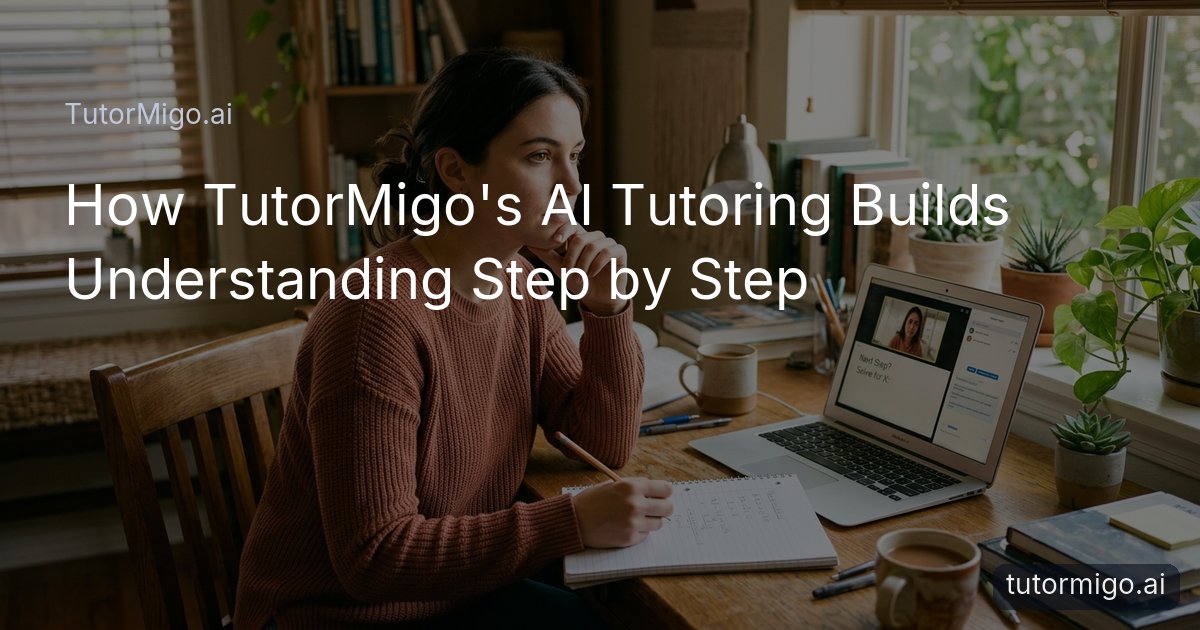
How TutorMigo Guides You Step by Step Without the Final Answer

Struggling with AI tools that reveal answers too quickly? TutorMigo's AI Tutor takes a different path by leading you through problems step by step without the final answer at the start. This setup lets you brainstorm your ideas and think properly, building skills that last.
When you start a session in TutorMigo, the AI Tutor begins by exploring what you already understand about the topic. Rather than delivering a complete solution, it poses questions that help clarify your starting point. This initial phase sets up a collaborative dialogue where your input shapes the direction of the conversation.
Consider a student tackling an algebra equation like solving for x in 2x + 5 = 15. The AI Tutor might ask, "What operation do you think we need to perform first to isolate the variable?" You suggest subtracting 5 from both sides, and it confirms or gently corrects based on your reasoning. Only after several exchanges does it help you see the full picture emerge from your own steps.
The platform's tutor workspace keeps track of this entire exchange in session history. You can go back to review how your ideas evolved without the pressure of an immediate answer. This continuity makes each session feel like a real tutoring experience rather than a one-off query to a chatbot.
Unlike general chatbots that often flood you with information, this method keeps things focused and manageable. You can pause to try ideas in the math step editor, receiving targeted feedback that encourages further thought. The goal is always to move you closer to the answer through your efforts.
By guiding without giving everything away, the AI Tutor helps maintain your engagement. You stay motivated because you're actively participating, and this leads to more meaningful progress in your studies.
Brainstorm Ideas and Think Through Problems Before Seeing the Solution

Brainstorming becomes a key part of the process when the AI Tutor holds back the solution. It invites you to throw out any ideas that come to mind, no matter how rough they seem at first. This open exploration helps you tap into your knowledge and see connections you might otherwise miss.
Picture yourself working on a biology question about cell division. The AI Tutor could prompt, "List three things you recall about mitosis from previous lessons." You type in your thoughts, perhaps mixing up some terms. Then it asks you to expand on one idea using the interactive whiteboard to diagram the stages. Your sketches lead to questions like "How does this phase connect to the next?" without jumping to the complete cycle explanation.
This technique turns passive reading into active idea generation. You might discover gaps in your understanding during the brainstorm, which the AI Tutor then helps fill through follow-up questions. It's a practical way to build confidence in your ability to approach new problems.
Students often find that after a few sessions, they start brainstorming on their own even before opening the tutor workspace. The habit carries over to other subjects and daily problem-solving tasks.
The difference from regular AI tools is clear here. A general chatbot might describe the entire process of cell division in one response, but TutorMigo lets you build the description yourself. This makes the knowledge stick because it comes from your brainstorming efforts.
For teachers, reviewing these brainstorm logs in the teacher dashboard reveals insights into student creativity and logical flow. Parents appreciate seeing in the parent dashboard how their kids are learning to generate ideas independently rather than waiting for answers.
Strengthen Your Thinking by Reasoning One Step at a Time
Reasoning one step at a time strengthens your thinking muscles in a way that quick answers cannot. The AI Tutor breaks down complex problems into smaller parts and asks you to handle each one before moving on. This builds a solid foundation for understanding the whole.
Let's say you're learning to write a simple program in the code sandbox. Instead of providing the full code, the AI Tutor says, "What would be the first line to set up the variables?" You write it, and it reviews that line only, suggesting adjustments if needed. Next, it moves to the loop structure, letting you figure out the logic based on your previous choice.
This sequential approach prevents overwhelm and allows you to catch errors early. You learn to think critically about each decision, which improves your overall problem-solving skills. The interactive study tools make this even more effective by letting you test small changes immediately.
Over time, this practice helps you internalize the reasoning process. When faced with similar questions later, you can recall the steps you took and apply them confidently. It's like training for a skill rather than just getting the result.
The AI Tutor might use examples from your session history to remind you of a similar step you handled well before. This personalized touch reinforces positive reasoning habits without rushing to conclusions.
Progress tracking in the exam preparation section can show how your step-by-step accuracy improves across practice sets. This data helps both you and your teachers identify patterns in your thinking development.
Why Delaying the Answer Helps You Build Real Understanding
Delaying the answer is not just a trick; it helps you build real understanding that lasts. When you work through the steps yourself, the concepts become part of your own thinking rather than something you read and forget. Research in learning science supports that active engagement leads to better retention and application.
Suppose you're studying history and the question is why a certain event happened. The AI Tutor asks you to consider economic factors first, then social ones, based on your input. You reason through each category, perhaps using flashcards to review key terms you identified during the process. Only at the end do you piece together the full explanation from your notes.
This delay creates space for reflection. You might realize during the process that your initial assumption was wrong, and adjusting it teaches you more than a correct answer would. General AI chatbots often skip this by giving the polished version upfront, which can lead to superficial learning.
Using spaced-repetition flashcards after the session helps cement those discovered insights. You review the steps you took at increasing intervals, turning temporary understanding into long-term knowledge.
Both parents and teachers can monitor this growth through their dashboards, seeing not just correct answers but the depth of reasoning in the session logs. This visibility makes it easier to support your learning journey effectively.
How This Approach Turns Questions Into Your Own Discoveries
This method turns questions into your own discoveries because you do the heavy lifting of thinking. Each step you take is yours, so the final understanding feels personal and memorable. It's empowering to solve something after exploring it thoroughly with guidance.
Imagine a math word problem about budgeting. The AI Tutor starts by having you identify the known values and unknowns in your own words. You might write them on the whiteboard and connect them with lines representing relationships. As you propose calculations, the AI Tutor asks if that matches the problem details, guiding you to refine until you arrive at the solution through your discoveries.
Over multiple sessions, this builds a sense of achievement. You begin to see questions not as obstacles but as opportunities to uncover knowledge. The tutor workspace records these discovery paths, allowing you to revisit how you figured things out independently.
Unlike tools that provide ready-made answers, this fosters curiosity and resilience. You learn to persist through confusion, which is a valuable skill for lifelong learning.
Structured exam prep benefits from this too, as practice questions become chances to discover patterns rather than just test knowledge. Your progress tracking reflects genuine growth in critical thinking abilities.
Practical Benefits of TutorMigo's Personalized Step-by-Step Tutoring
The practical benefits of this personalized step-by-step tutoring show up in daily use and long-term results. You gain confidence as you solve problems without relying on instant answers, and this confidence transfers to tests and real-life situations.
For instance, after using the AI Tutor for a few weeks, you might notice you approach new topics with a plan: brainstorm, break down, reason step by step. The interactive study tools support this by providing spaces to experiment safely. Flashcards help reinforce the steps you discovered, scheduled at the right time for review.
Parents benefit from the parent dashboard, where they can see detailed progress without hovering. They notice improvements in how their child explains concepts, a sign of deeper understanding. Teachers use the teacher dashboard to assign targeted sessions and review reports that highlight reasoning skills, not just scores.
This approach stands out from general-purpose generative chatbots because it prioritizes your thinking process over quick outputs. While other tools might be useful for quick facts, TutorMigo's AI Tutor is designed for building skills through guided discovery. The session history ensures continuity, so each interaction builds on the last.
Overall, these benefits make learning more effective and enjoyable. You end up with knowledge that sticks and the ability to tackle challenges on your own.
Frequently asked questions
The AI Tutor provides hints and questions to help you move forward, but it aims to let you reach the solution through your reasoning. If needed, it can offer more direct guidance after you've tried.
General chatbots often provide complete answers right away. TutorMigo focuses on guiding your thought process step by step, helping you learn how to think rather than just what the answer is.
Yes, with appropriate access, the parent dashboard and teacher dashboard show progress and session details to support your learning.
You can use the whiteboard for drawing ideas, the code sandbox for testing code, and the math step editor for breaking down equations, all integrated in the study tools hub.
Explore TutorMigo
Enjoyed this read?
Like, share, or comment below.
Comments
0Sign in required · respectful discussion · replies supported
Loading comments…