

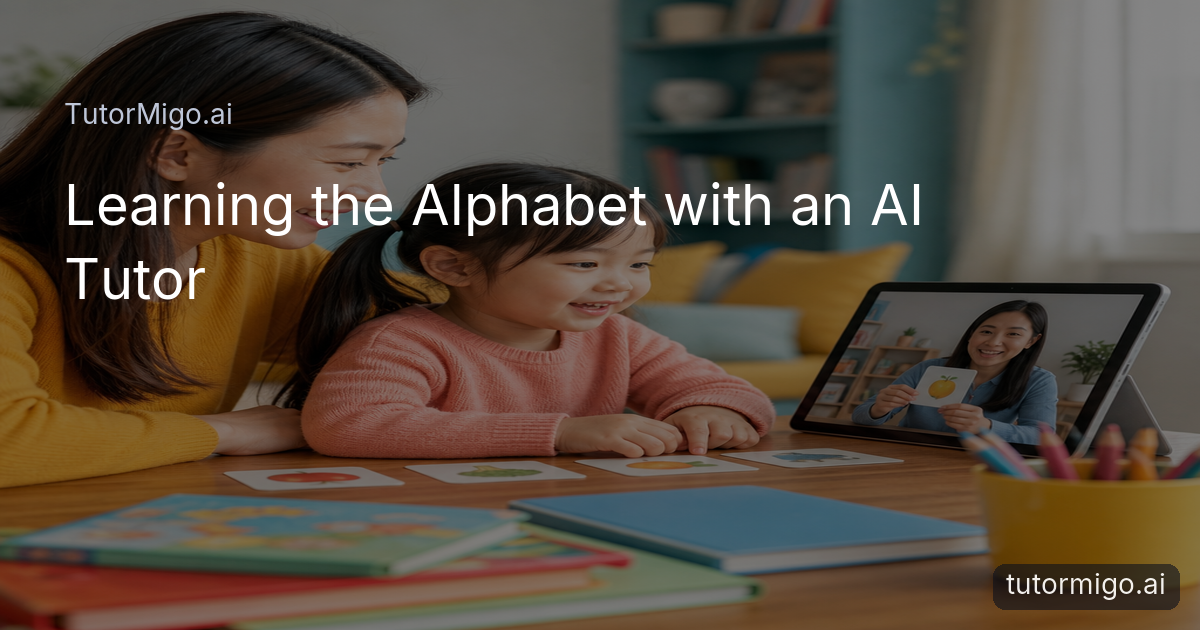
Make Alphabet Learning Feel Personal

Learning the alphabet can be frustrating when a child forgets a sound, loses interest, or moves ahead before a letter feels familiar. The most useful support meets the child at that exact point instead of repeating the same exercise for everyone. TutorMigo.ai can help turn short practice sessions into patient, guided conversations about letter names, sounds, and simple words.
With the Tutor Workspace, an AI Tutor can respond to a child’s question, offer another example, or slow down when a concept needs more time. For example, if a child confuses b and d, you might ask for a few words beginning with each sound, then revisit the difference through a calm conversation rather than treating the mistake as failure. A parent or teacher can also keep the session focused on one small goal, such as recognizing the letter M and connecting it with “moon,” “milk,” and “map.”
This is one of the practical TutorMigo benefits: alphabet learning can feel responsive rather than one-size-fits-all. The goal is not to rush through every letter. It is to help a child notice patterns, explain what they see, and build confidence through achievable practice.
Build Vocabulary Alongside Letter Knowledge

Alphabet learning becomes more meaningful when each letter connects to words a child understands. Instead of practicing an isolated symbol, you can pair a sound with familiar objects, actions, and short descriptions. For example, a lesson about S might include “sun,” “sock,” and “sleep,” followed by questions such as, “Which word names something you can wear?” This gives the child practice with recognition and vocabulary at the same time.
TutorMigo.ai’s Flashcards feature can support this routine with spaced-repetition decks and review scheduling. A parent or teacher could create a small deck for five letters, adding a picture idea, a beginning sound, and a simple word for each card. During later reviews, the cards that need more attention can return more often, while familiar material appears less frequently. That helps prevent a child from practicing only the letters they already know.
Keep the deck small and concrete. Ten carefully chosen cards may be more useful than a large collection that feels tiring. Ask the child to say the letter, produce its sound, name the picture, and use the word in a short sentence. An AI Tutor can then extend the conversation with a related word or a gentle question, helping vocabulary grow naturally from alphabet practice.
For more ideas about using an AI tutor at home, see this guide to TutorMigo benefits for learning at home.
Use Interactive Tools to Keep Children Engaged
Young learners often understand a new letter more easily when they can do something with it. A short conversation followed by drawing, sorting, or arranging examples can make practice feel active. You might ask a child to group words that begin with the same sound, sketch an object that starts with T, or explain why “apple” belongs with one sound rather than another.
The Study Tools Hub includes an interactive whiteboard that can support these activities during a guided session. A parent or teacher could write a large letter, invite the child to add a matching object, and then ask the child to describe the picture aloud. The tool does not replace hands-on play; it gives the conversation a shared space where ideas can be shown, changed, and discussed.
Try a simple three-part rhythm: notice, make, explain. First, notice the letter and its sound. Next, make a connection by drawing or sorting a word. Finally, explain the choice in the child’s own words. If attention starts to fade, switch activities instead of extending the same drill. This approach makes learning more engaging while still practicing a clear skill.
An AI Tutor can provide the next prompt or suggest a new example, but the child should remain the active participant. The strongest session is one in which the child points, speaks, compares, and asks questions—not one in which an adult or tool does all the thinking.
Create Continuity Between Short Learning Sessions
Alphabet learning usually happens in small moments: ten minutes before school, a review after dinner, or a quick activity during a classroom transition. Those moments become more useful when each session connects to the last one. Rather than starting from scratch, begin by revisiting two familiar letters, introduce one new idea, and finish with a quick success the child can explain.
TutorMigo.ai’s Tutor Workspace includes session history, which can help maintain a clearer thread across guided conversations. For example, Monday’s session might focus on identifying C and its sound. On Tuesday, the child can review “cat” and “cup,” then compare them with a new word. On Wednesday, the conversation can return to the same sound through a picture or a simple sentence. The repeated context makes progress easier to notice.
Keep a practical record of what happened: which letters were recognized quickly, which sounds needed a prompt, and which words sparked interest. A parent might notice that a child remembers letters connected to animals, while a teacher may see that a child responds best to drawing before speaking. These observations can shape the next session without turning early learning into a test.
Consistency matters more than length. A focused routine of several short reviews can give a child more chances to retrieve and use a letter than one long, tiring lesson.
Give Parents and Teachers a Clearer View
Adults supporting alphabet learning need more than a completed activity. They need to know what the child practiced, where support was needed, and what to try next. TutorMigo.ai’s Parent Dashboard provides visibility into a child’s progress, learning controls, and co-learning options. That can help a parent move from a vague concern—“letters still seem difficult”—to a practical question, such as whether the child needs more sound practice or more vocabulary examples.
Teachers can use the Teacher Dashboard for class management, student monitoring, assignments, and reporting. In an early learning setting, that might mean organizing a small review around beginning sounds, checking which students need extra practice, and sharing a focused activity for home. Visibility should support a child’s learning rather than label the child. Use the information to choose the next helpful prompt, not to compare children publicly.
This is also a useful difference between a dedicated learning platform and a general-purpose generative chatbot. A chatbot may produce a quick alphabet game when asked, but TutorMigo.ai brings tutoring, session history, review scheduling, and adult visibility into a connected learning workflow. That does not make every answer automatically perfect; adults should still listen, check examples, and guide age-appropriate use.
For teachers planning guided learning routines, the article on TutorMigo.ai support for teacher preparation offers related context.
Start with One Letter and a Repeatable Routine
You do not need a complicated plan to begin. Choose one letter that is either new or slightly difficult, then prepare three familiar words connected to it. In a five- to ten-minute session, ask the child to identify the letter, say its sound, match it with a word, and use that word in a short sentence. Finish by asking the child to teach the letter back to you.
Next, save the important cards for spaced review. Return to the same letter later in the day or during the next session, but change the example so the child is recognizing the sound rather than memorizing one picture. If the child struggles, reduce the number of choices and offer a calm prompt. If the child succeeds easily, ask for another word or a comparison with a similar sound.
Use the Tutor Workspace when a child benefits from conversation and continuity, Flashcards when a small set of letters needs regular review, and the interactive whiteboard when drawing or sorting will make the idea clearer. An AI Tutor can help supply prompts, but your encouragement and the child’s own explanations remain central.
Begin with one letter today, observe what makes it stick, and use that observation to shape tomorrow’s practice. Small, connected sessions can make alphabet learning more engaging while building the vocabulary and confidence that support future reading.
Frequently asked questions
TutorMigo.ai can support guided conversations about letter names, sounds, and related words. The Tutor Workspace helps maintain session continuity, while Flashcards and interactive study tools add review and hands-on practice.
Yes. You can connect letters with familiar words, use small flashcard decks for spaced review, and ask an AI Tutor to extend practice with examples, questions, and short sentence prompts.
The Parent Dashboard provides visibility into a child’s progress, learning controls, and co-learning features, helping parents decide which letters or sounds to revisit.
Teachers can use the Teacher Dashboard for class management, student monitoring, assignments, and reporting, then guide focused alphabet and vocabulary activities based on observed needs.
Related reading
Enjoyed this read?
Like, share, or comment below.


Comments
0Sign in required · respectful discussion · replies supported
Loading comments…