


Start family learning with curiosity, not performance

That awkward pause can feel like a test of your parenting. It isn’t. Your job is not to know everything your child might ask; it’s to show what you do when you don’t know. Try saying, “I haven’t thought about that before. What made you wonder?” The answer often reveals a smaller, more useful question hiding inside the big one.
Suppose your child asks, “Why does algebra work?” Before opening a tool, ask them to show you the exact moment that felt strange. Perhaps they understand the problem but don’t see why you can subtract the same amount from both sides. You now have something investigable: “Why does doing the same thing to both sides keep an equation balanced?” That’s easier to explore than all of algebra.
For a science question, use the same narrowing move. “Why is space like that?” might become, “Why does Earth have day and night?” Ask your child to make a prediction and identify something you could observe, read, or model.
Useful responses include: “What do you mean by that?” “Can you show me an example?” and “What could we check first?”
Finish by agreeing on one question in your child’s own words. Keep it visible on paper. That small boundary helps you avoid collecting interesting facts without answering what your child actually wanted to know.
Use an algebra demo to examine one step
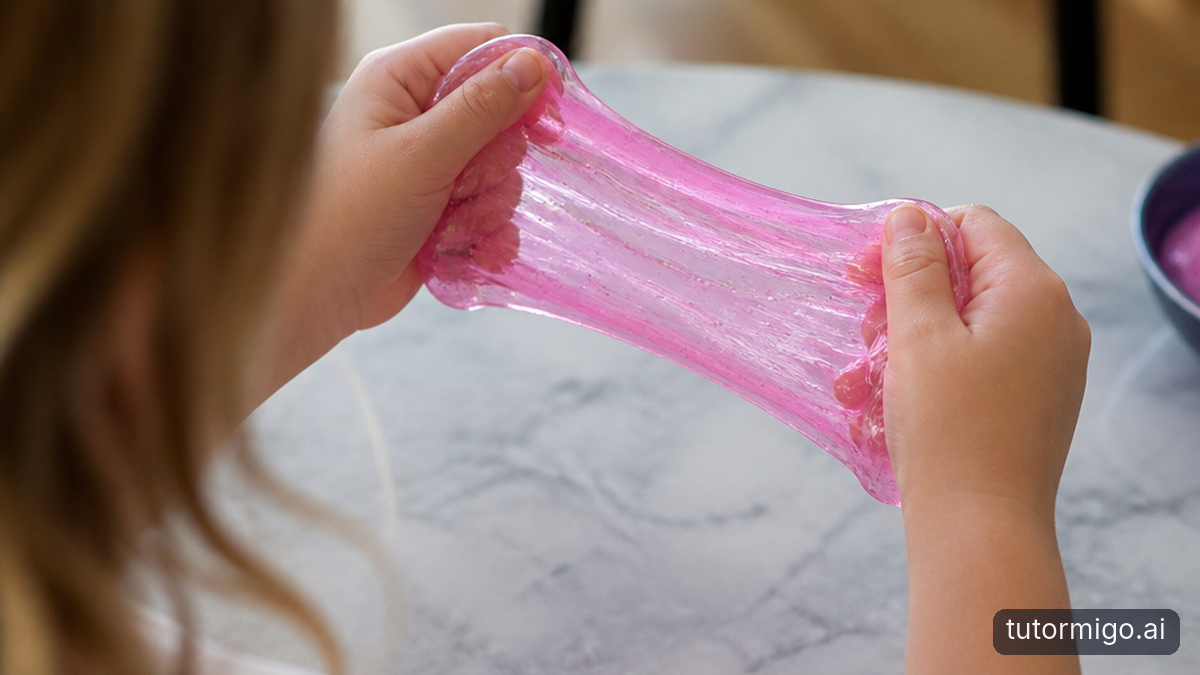
An algebra demonstration is most helpful when your child can explain what changed between steps. In TutorMigo.ai’s AI Tutor Workspace, you can bring the exact question rather than request a whole lesson. Try: “Explain why subtracting the same amount from both sides preserves equality. Use one simple example, then ask us to explain the reasoning.” Personalized chat gives you a place to explore that specific sticking point.
For example, start with . Ask your child what would happen if you removed three from only one side, then compare that with removing three from both sides. TutorMigo.ai’s math step editor can support working through the written steps. Your child should still say why the move is valid, rather than copy a polished solution.
One of the practical TutorMigo benefits here is continuity: session history lets you revisit the conversation and the explanation you were considering. Later, you can return to that exchange and ask a follow-up instead of reconstructing the whole discussion. That doesn’t mean an AI Tutor automatically understands every misunderstanding or that its first explanation will be right.
Check the result by substituting the proposed answer into the original equation. If the reasoning remains unclear, compare it with your child’s textbook method. For more examples of keeping help focused, see using AI tutoring during stuck math moments. The goal is a step your child understands, not merely a finished answer.
Let a solar-system model raise better questions
Solar-system demonstrations invite a different kind of investigation: deciding what a picture represents accurately. Whether you’re using a classroom model, an educational animation, or a diagram in a book, pause before accepting its appearance as evidence. Are planet sizes shown to scale? Are distances compressed? Does the movement represent real timing, or just make the pattern easier to see?
You can use TutorMigo.ai alongside that demonstration without assuming the platform supplies a particular simulation. Ask its AI Tutor to help unpack one question, such as, “What should we check before using this solar-system picture to compare distances?” Then use a reliable source to verify the explanation. The chat supports your discussion; the visual model and the AI response both need scrutiny.
Imagine your child points to two neighboring planets in a diagram and says they must be close enough for a quick journey. Ask, “Does this picture tell us the actual distance?” Look together for a scale or an explanation of how the illustration was simplified. If neither is present, you have found a limitation, not necessarily a bad resource.
This is where using models to spark better science questions becomes useful. Ask your child to separate “what we noticed” from “what we think it means.” A model can make a relationship easier to discuss while leaving out essential details. Understanding that distinction is part of the learning, not an interruption to it.
Know when to check a source or ask the teacher
Don’t wait for an obvious mistake before checking. Build verification into the routine whenever an explanation introduces a new fact, a model seems surprising, or two sources disagree. For schoolwork, start with the assigned textbook, class notes, or teacher-provided materials. For solar-system facts, use an established science-learning source such as NASA’s educational resources or a recognized science museum.
Make the check specific. Rather than asking, “Is this whole answer right?” choose one claim: “Does Earth’s rotation explain the daily pattern of daylight?” Find the relevant explanation and compare it with what the AI or model suggested. If you still can’t judge the claim, keep it marked as uncertain. Agreement between two AI responses is not independent confirmation.
Contact the teacher when your child’s class uses a method you don’t recognize, the explanation conflicts with assigned materials, or the same confusion keeps returning. Send the original question, the step your child attempted, and the precise sticking point. “We understand keeping an equation balanced, but not why this step is allowed” gives the teacher more to work with than “We don’t understand algebra.”
TutorMigo.ai’s Parent Dashboard provides visibility into child progress and learning controls, which can help inform a check-in. It doesn’t replace listening to your child or consulting the teacher. If asking feels embarrassing, practice a sentence together: “I followed the explanation until this part. Could you show me why it works?” That makes uncertainty easier to discuss.
Try one investigation together tonight
Choose a question you can explore in a short sitting: “How can turning Earth produce day and night?” You’ll need a flashlight, a globe or ball, and a small removable marker to represent your location. Before starting, ask your child to predict what will happen to that spot as the globe turns. Write down the prediction without correcting it.
Keep the flashlight still and point it toward the globe. Slowly turn the globe so the marked location moves into the lit half and then out again. Ask, “What changed for our location?” and “Did we have to move the light to make that happen?” Let your child operate the model and describe the pattern. Avoid shining the flashlight into anyone’s eyes.
Next, discuss the limits. Your flashlight and globe are not a scale model of the Sun and Earth, and the activity does not explain every question about daylight or seasons. Check the rotation explanation in a reliable science resource. If you use TutorMigo.ai afterward, ask for help comparing your observation with that explanation, not for a verdict that everything you did was correct.
Close by asking your child to finish two sentences: “Our model helped us see…” and “We still wonder…” Keep the remaining question for another day. You have turned an unfamiliar question into a prediction, an observation, and a checked explanation. That is a worthwhile outcome even when your opening words were simply, “I’m not sure—let’s find out.”
Frequently asked questions
Try, “I’m not sure—let’s find out. What made you wonder?” Then narrow the question and ask, “What could we check first?” You can model curiosity without pretending to know.
Treat it as a starting point, not a guarantee. Check important claims against assigned learning materials or a reliable educational source, especially when the explanation conflicts with what your child has learned.
Personalized tutoring chat helps you explore a specific question, session history lets you revisit the discussion, and the math step editor supports examining algebra steps. None guarantees a correct explanation.
Ask when confusion persists, an explanation contradicts class materials, or you need help understanding the expected method. Share the exact question and the point where your child became unsure.
Explore TutorMigo
Enjoyed this read?
Like, share, or comment below.


Comments
0Sign in required · respectful discussion · replies supported
Loading comments…