


What Makes ADHD Study Tools for Students Effective?
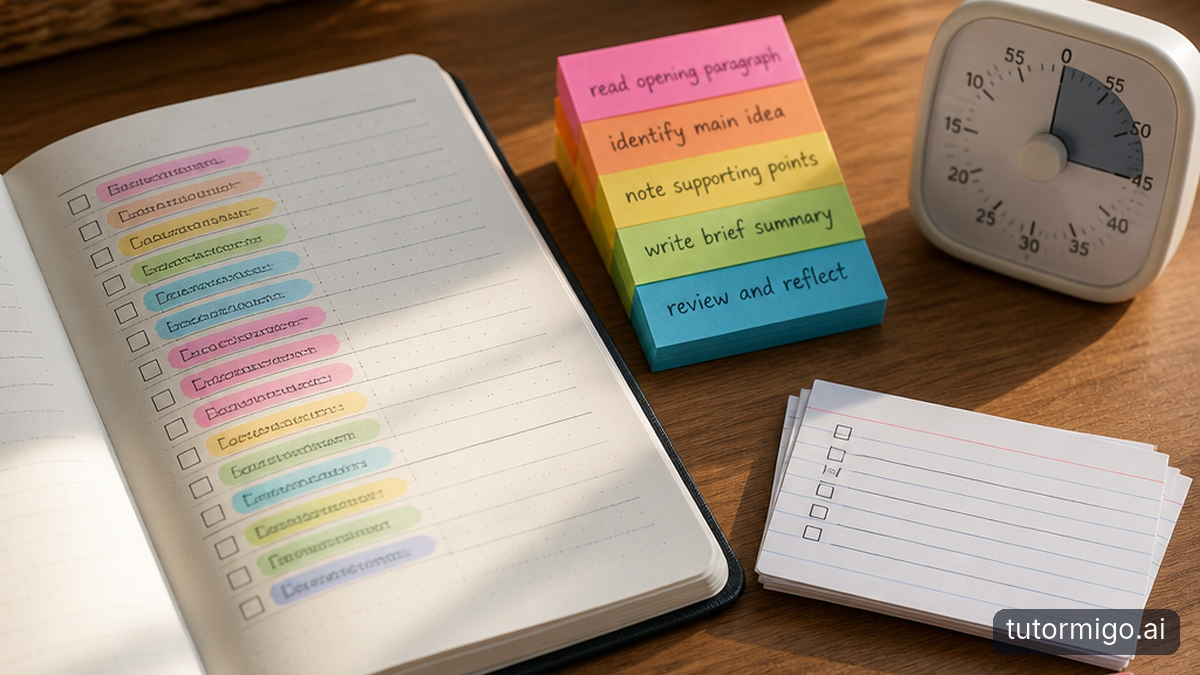
Effective ADHD study tools reduce the effort needed to begin and continue learning. They make the next action visible, keep essential information outside working memory, and provide timely feedback. Useful support adapts task size and stimulation without promising to treat ADHD or eliminate executive dysfunction.
Homework paralysis is not proof that you lack motivation. Executive dysfunction can make planning, switching tasks, and task initiation difficult even when you understand the material. Working memory deficits can also make it harder to hold instructions in mind while reading or writing. These difficulties vary between students and situations.
Look for tools that remove cognitive friction: fewer setup decisions, a visible starting point, and feedback tied to something you actually did. A planner records “read history chapter.” A useful study prompt specifies “read the opening paragraph and identify the event.” Externalizing that instruction means less information to keep mentally active.
ADHD research describes differences in executive functioning and reward processing, but “dopamine reward loops” is often an oversimplified marketing explanation. Prefer meaningful feedback over claims about dopamine boosts. Body doubling—studying alongside another person—may help some students start, although direct research remains limited. An AI chat is not equivalent to human presence. The goal is a workable environment, not maximum stimulation or another distracting dashboard.
Deconstructing Homework Overwhelm with Micro-Pacing

Micro-pacing is the practice of turning an assignment into small, answerable actions. A large prompt becomes a micro-question, followed by immediate visual feedback. This sequence makes progress observable, limits competing demands, and creates a clear next step without requiring the entire assignment to feel manageable.
Use three tiers: Large Prompt → Micro-Question → Immediate Visual Feedback. Start with the actual requirement, such as explaining the causes of a historical conflict. Reduce it to one question: “Which cause appears in this paragraph?” Then record the answer in a visible outline and check it against the reading. Feedback might be a correction, a highlighted connection, or a completed outline item—not confetti.
Choose micro-milestones based on meaningful work rather than arbitrary speed. “Identify one cause and its supporting sentence” is more useful than “study harder for five minutes.” If that still feels too large, shrink the step to locating the relevant paragraph. Increase the size only when starting becomes easier.
Practice testing and distributed practice have substantial learning-science support, including Dunlosky and colleagues’ 2013 review in Psychological Science in the Public Interest. That evidence supports retrieval and spacing, not a claim that every AI interaction improves ADHD symptoms. For a reusable prompt pattern, try Socratic AI tutoring through smaller questions, then explain each answer without looking before continuing.
Traditional Study Methods vs. Generic Timers vs. TutorMigo AI Scaffolding
The comparison below separates what a tool does from what you still need to provide. Traditional methods are not inherently unsuitable for ADHD: a paper checklist can be easier to use than an elaborate app. Likewise, a timer may help you commit to starting, but it cannot decide which sentence to read first.
When evaluating ADHD study tools for students, test the moment where work usually stops. If choosing a first action is the obstacle, compare how much setup each option requires. If losing instructions is the obstacle, check whether the next action remains visible. If notifications derail you, consider whether opening another digital tool makes the environment harder to manage.
TutorMigo.ai provides personalized tutoring chat and session history. You can request a small-step dialogue, but effective scaffolding still depends on the instructions you give and the accuracy of the response. A general-purpose chatbot may also follow a similar prompt; the practical comparison is the complete study workflow, not a blanket claim that other tools cannot tutor.
Use one assignment to compare approaches. Note whether you started, understood the material, and could resume after a break. Treat those observations as personal fit signals, not clinical measures or guarantees of improved attention.
How TutorMigo.ai Can Support a Neurodivergent Study Session
Chunking Complex Tasks via Socratic Step-by-Step Tutoring
Suppose a ten-page history reading feels impossible. Open the AI Tutor Workspace and provide the assignment instructions plus a short, relevant passage. Ask: “Help me work through this reading one question at a time. Begin with the first paragraph. Wait for my answer before continuing, and ask me to support answers with evidence.” This requests Socratic pacing; it is not a separate guaranteed tutoring mode.
The first micro-quiz question might be, “What changed after this event?” You answer in one sentence. Ask the AI Tutor to check that answer against the passage and offer one follow-up question. If the reply becomes lengthy, say, “One question only.” Move through small portions rather than requesting a summary of all ten pages.
Personalized chat and session history are practical TutorMigo benefits here: you can return to the earlier exchange instead of recreating the entire conversation. Before a break, leave a restart note stating the passage completed and the next question. Check that note when resuming; history does not guarantee perfect recall or accurate interpretation.
Sustaining Focus Through Visual Outlining
Use the whiteboard to organize an event, its cause, and supporting evidence into a simple visual outline. These visual learning scaffolds make relationships inspectable rather than mentally juggling every detail. Color is optional; clarity matters more than decoration. Interactive 3D models are not among the listed TutorMigo.ai tools, so do not choose the platform expecting that capability.
After the dialogue, create a few spaced-repetition flashcards using AI-assisted card creation, checking each against the reading. Review scheduling supports later retrieval rather than another immediate reread. Keep the workflow small: tutoring for understanding, a whiteboard for relationships, and flashcards for recall. Before sharing material, review what not to share with AI learning tools.
Your Next Step: Start One Assignment in Two Minutes
Choose the hardest assignment currently on your desk. Spend the first minute locating its instructions and choosing one short passage or problem. Spend the next minute asking for one answerable question. This is a two-minute starting experiment, not a promise to finish the assignment or make executive dysfunction disappear.
Try this prompt: “I am having trouble starting. Help me identify the smallest useful action for this assignment. Ask one question, wait for my answer, and keep the next instruction brief.” Check the reply against your teacher’s directions. If answering still feels impossible, ask for a smaller action rather than a longer explanation.
Judge ADHD study tools for students by whether they help you begin, understand, and return—not by how impressive the interface looks. Parents and teachers can agree on a modest goal, such as completing one evidence-backed answer, without turning every study session into surveillance. TutorMigo.ai offers parent visibility and teacher monitoring tools, but supportive conversations still matter.
Open the AI Tutor Workspace and break down your hardest assignment in two minutes. Keep what helps, simplify what distracts, and involve a qualified professional when attention difficulties significantly affect daily functioning.
| Approach | Task Initiation Support | Working Memory Load | Distraction Resilience |
|---|---|---|---|
| Traditional notes and planner | Records assignments; the student defines the first action. | Written instructions can externalize information; organization is manual. | Paper avoids device notifications but cannot prevent environmental distractions. |
| Generic timer | Provides a time boundary; does not break down the assignment. | Tracks elapsed time, not the task's instructions or concepts. | May support a work interval; does not block distractions by itself. |
| TutorMigo.ai tutoring workflow | Personalized chat can be prompted to offer one small question at a time. | Session history keeps earlier exchanges available; concise prompts help limit overload. | An interactive dialogue may support engagement; no distraction blocking is listed. |
Frequently asked questions
AI tutoring can support focus by presenting one question at a time, clarifying confusing instructions, and providing feedback on an answer. Students can request shorter responses and smaller tasks. These adjustments may reduce study friction, but AI does not treat ADHD or guarantee sustained attention.
A useful starting method combines one visible next action, small task chunks, retrieval practice, and planned review. No single method works best for everyone. Begin with one question about a short passage, answer from memory, check the source, and record the next action before stopping.
AI tutors cannot replace the individualized judgment, accountability, and relationship provided by a qualified ADHD academic coach. AI can assist with explanations, practice questions, and task breakdowns. Persistent difficulties may require coordinated support from educators, appropriate clinicians, or coaches rather than an additional study application.
Interactive visual models can make relationships easier to inspect by representing information outside working memory. Benefits depend on the learner, task, and design; decorative complexity can distract. TutorMigo.ai lists a whiteboard for visual organization, not interactive 3D models. Pair simple diagrams with explanation and retrieval.
Related reading
Enjoyed this read?
Like, share, or comment below.



Comments
0Sign in required · respectful discussion · replies supported
Loading comments…