

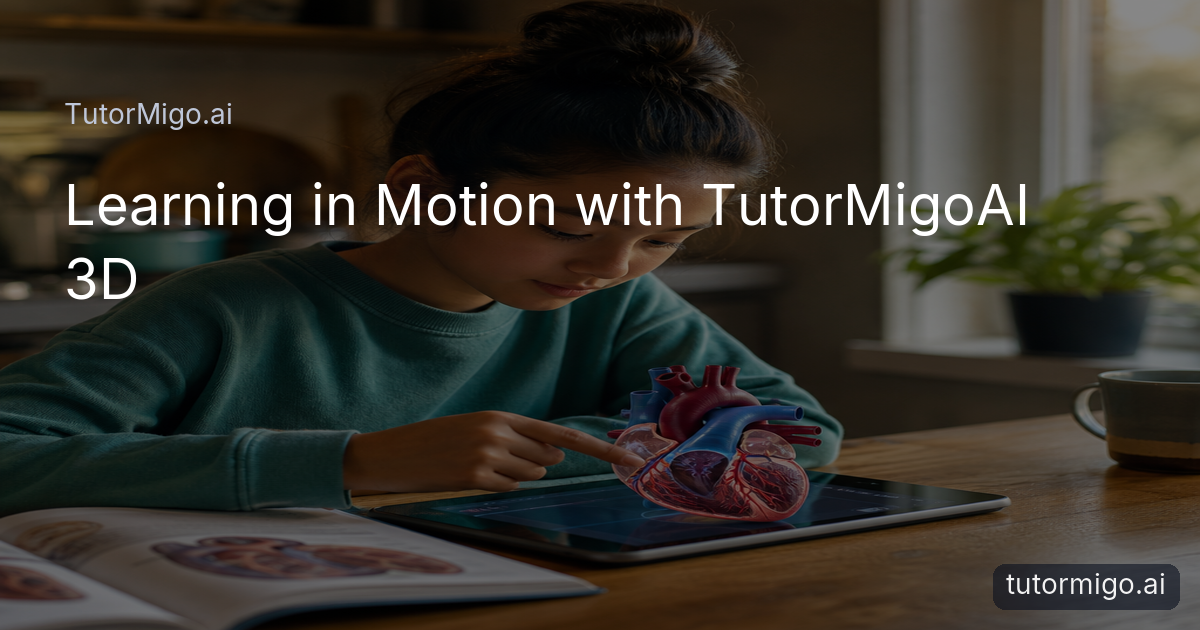
The 3D Learning Diagram That Would Not Stay Still

Maya had read the same two textbook pages three times. Her science assignment showed a flat diagram of the human heart, with lines pointing toward chambers, valves, and blood vessels. She could repeat several names aloud, but the picture still felt like a maze. The right side looked almost identical to the left, and the arrows crossed one another in a way that made the structure harder to remember.
At the kitchen table, she turned the book sideways, then upside down. Her father suggested watching another explanation, but Maya did not need more words. She needed to understand what was behind what. The diagram gave her one fixed viewpoint, while her question was physical: where does each part sit in relation to the others?
This is a familiar boundary of studying from a page. A flat drawing can be useful, but some concepts depend on depth, orientation, and relationships between parts. When those relationships are difficult to picture, reading carefully is not always enough. Sometimes the next useful step is to explore the object itself, changing the view until the structure begins to make sense.
A Lesson Becomes Something She Can Explore
Maya opened TutorMigo.ai and tried its 3D Interactive feature. Instead of presenting the heart as a single picture, the lesson gave her a model she could examine from different angles. She rotated it slowly, paused at the back, and then returned to the front. The action was simple, but it changed the kind of question she could ask.
She could look above the model, below it, and from the side. A part that had been hidden behind another shape became easier to locate. She zoomed in, then pulled back to see how the smaller structures belonged to the whole. Rather than memorizing a list beside a diagram, she was testing her own understanding: if this vessel is here, what does it connect to? If this chamber is hidden from the front, where should it appear from the side?
The experience did not turn the lesson into a game or remove the need for explanation. It gave Maya a more flexible way to investigate. TutorMigo.ai’s 3D Interactive feature fit naturally beside the written lesson because it made the same subject available through movement, perspective, and careful observation.
Seeing the Parts, Not Just the Label
Once Maya understood that she could change the viewpoint, she began studying the heart in smaller pieces. She focused on one chamber, then followed its boundary around the model. She inspected the valves and noticed that they were not decorative marks placed on top of the drawing; they occupied a particular position between connected spaces. The labels became easier to interpret because they were attached to places she had actually located.
That distinction mattered. Looking at a label can create the feeling of recognition without proving that the underlying structure is clear. Exploring the model invited Maya to check herself. She would rotate the heart, hide a familiar view from memory, and try to predict where a part would appear next. When she was wrong, the mistake had a visible reason: she had confused front and back, or treated a nearby structure as though it were connected.
For a student, this kind of investigation can make a difficult concept feel less mysterious without promising instant mastery. The model does not answer every question on its own. It gives the question somewhere to land, so explanations and review can connect to an object with shape, position, and parts.
From Confusion to a Better Question
After several minutes, Maya noticed that her questions had become more precise. At first she had asked, “What is this?” Now she was asking, “Why does this part sit here?” and “How would the view change if I looked from behind?” Those questions led her back to the science text with a different purpose. She was no longer scanning for names alone; she was checking whether the description matched the structure she had explored.
This is one of the practical TutorMigo benefits of an interactive visual experience: it can support a learner’s next question without pretending to replace thinking. The 3D view did not decide what Maya should conclude. It let her compare perspectives, notice relationships, and return to the explanation when a detail was unclear.
An AI Tutor can also feel more useful when it enters at that point of uncertainty. Maya could describe the part she was struggling to place and ask for a plain-language explanation. The visual exploration gave the conversation a concrete reference. Instead of saying that the whole topic was confusing, she could identify the exact connection she wanted to understand.
A Small Discovery Changes the Study Session
Later that evening, Maya’s younger brother asked what she was doing. She rotated the model and showed him how the heart looked different from the front and side. She did not deliver a polished lecture. She pointed, paused, corrected herself, and tried again. Explaining the structure exposed one detail she had still mixed up, so she returned to the model and checked it.
That moment captured the quieter value of exploration. Learning was not only the time spent looking at the lesson. It was the movement between observing, questioning, explaining, and checking. The 3D Interactive feature gave her something to return to when words became vague. It also made room for uncertainty: she could inspect a confusing area without feeling that she had to understand it immediately.
For parents and teachers, the scene is recognizable. A student may appear to be reading attentively while an important relationship remains invisible to them. A change in representation can reveal where the difficulty actually is. The answer is not always more detail. Sometimes the learner needs a way to move around the idea, separate its parts, and build a view that makes sense from more than one direction.
Keeping Curiosity in the Lesson
The next day, Maya still had to study vocabulary and write her assignment. The interactive model had not done the work for her, and it had not made every biology question easy. What changed was the starting point. The heart was no longer an arrangement of lines that she hoped to remember. It was a structure she had examined, questioned, and connected to the words in her lesson.
That is where TutorMigo.ai’s 3D Interactive feature belongs: not as a replacement for reading, teaching, or practice, but as another way into concepts that are difficult to understand from a flat diagram. A learner can rotate an object, inspect its parts, compare viewpoints, and then return to the explanation with more specific questions.
For students comparing an AI Tutor with a general-purpose chat experience, the difference is often found in how a study session supports the learner’s process. Maya needed more than a paragraph describing the heart. She needed a space to explore the relationship between its parts. Once she had that space, the lesson became less about staring at a picture and more about following her curiosity carefully, one view at a time.
I did not need the heart to become simpler. I needed to be able to look at it from somewhere else.
Related reading
Related reading
Enjoyed this read?
Like, share, or comment below.

Comments
0Sign in required · respectful discussion · replies supported
Loading comments…